1
GETTING STARTED
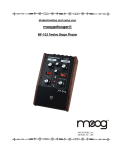
Here are some simple instructions on how to plug in and try out your
MF-105M before you have read through the entire manual.
1. Unpack your MF-105M. Place it on a table while you become familiar
with its controls and connections. Gently pat the wooden side pieces of
your new moogerfooger to let it know that it has found its new home and
that it will be well cared for.
2. Check that the power adaptor has a nominal rating of +9 volts,
providing at least 300 mA (milliamperes) of current and is also rated
at your country’s standard power voltage (120 Volts AC for the United
States and Canada; 100 Volts AC for Japan; and 220 Volts AC for most
other countries). Plug the power adaptor’s cord into the MF-105M’s
‘+9V’ jack. Then plug the power adaptor itself into a power voltage
receptacle. Note the MIDI MuRF uses a power supply which is rated
at 300mA output current. Using a power supply that is rated for less
current may not allow the device to power up properly. Make sure to
use the proper power supply.
3. Note that the BYPASS light is on. It will light up either red or green.
Red indicates that the MF-105M’s effect is off-line (bypassed), while
green indicates that the effect is on. Pressing the ‘stomp switch’ will
toggle the BYPASS light between red and green. For now, leave the
BYPASS light on red.
Refer to Figure 1 for
steps 4, 5 and 6.
4. Connect an
instrument cable from
the LEFT/MONO jack
to a line-level input
on your amp or mixer.
Turn the volume control
on your amp down but
not off.
Figure 1 - Basic Connections
page 3