1
Setup-F3_FM.book Page 15 Friday, October 5, 2001 8:27 PM
Installing Options
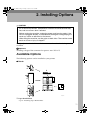
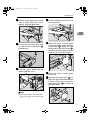
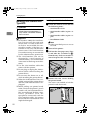
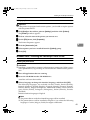
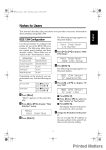
G Align the printer board with the
top and bottom rails in the printer, and then insert the printer
board slowly until it clicks into
place.
Installing Paper Bank PS430
R CAUTION:
• Before moving the machine, unplug the power cord from the outlet. If the cord is unplugged
abruptly, it could become damaged. Damaged plugs or cords
can cause an electrical or fire
hazard.
2
• When lifting the machine, use
the grips on both sides. The machine could break or cause an injury if dropped.
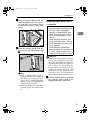
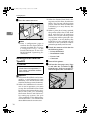
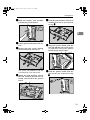
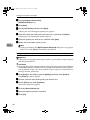
H Lock the printer board with the
two screws you removed in step
C.
Note
❒ Print a configuration page to
confirm that the unit is properly
installed. See "Printing a Configuration Page" in the Printer Reference on the CD-ROM labeled
"Operating Instructions".
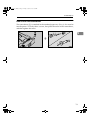
❒ Be sure to return the screwdriver to the paper tray after using
it.
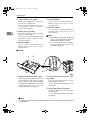
• When lifting the Paper Bank,
hold the bottom of it, and then lift
it slowly. Lifting it carelessly or
dropping it may cause an injury.
Important
❒ When the bidirectional transmission is not in operation, you must
set up the installed Paper Bank using the printer driver in order to
use it. See p.37 “Installing the
Printer Driver and Software” for
setting up options. See p.48 “The
conditions of the bidirectional
transmissions” for information
about bidirectional transmission.
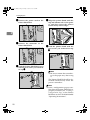
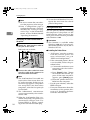
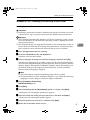
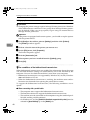
A Confirm that the printer is turned
off, and the power cord is unplugged from the wall outlet.
15