1
TH82 Series Reference Manual
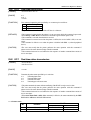
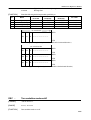
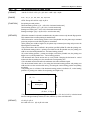
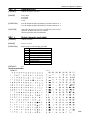
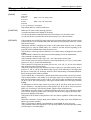
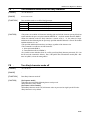
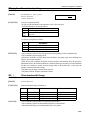
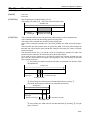
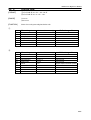
n=<*******0>B
n=<*******1>B
Double-strike mode is turned off.
Double-strike mode is turned on.
[DETAILES]
*n is valid only for the lowest bit.
*Printer output is all the same with emphasized mode.
[DEFAULT]
n=0 (double-strike mode off)
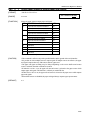
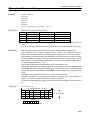
ESC J
Print and feed paper
[FORMAT]
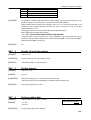
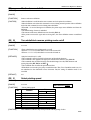
<1B>H<4A>H<n>
[RANGE]
0≦n≦255
[FUNCTION]
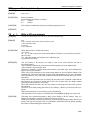
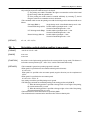
Prints the data in the print buffer and feeds the paper [n x vertical or horizontal motion unit].
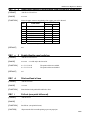
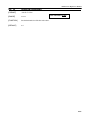
ESC L
Select page mode
[FORMAT]
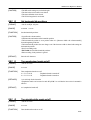
<1B>H<4C>H
[FUNCTION]
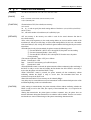
Switches from standard mode to page mode.
[DETAILES]
*This command is enabled only when processed at the beginning of a line in standard mode.
*This command is ignored in page mode.
*The printer returns to standard mode after printing by FF is completed or by using ESC S.
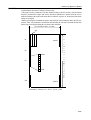
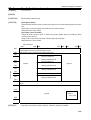
*This command sets the position where data is buffered to the position specified by ESC T within
the printing area defined by ESC W.
*This command switches the setting for the following commands which have each value
independently in standard mode and page mode to those for page mode.
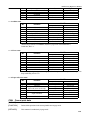
□Set right-side character spacing: ESC SP, FS S
□Set default line spacing: ESC 2、ESC 3
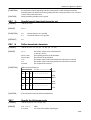
*Only setting is possible for the following commands in page mode.
① ESC V
Turn 90°clockwise rotation mode on/off.
② ESC a
Select justification.
③ ESC {
Turn upside-down printing mode on/off.
④ GS L
Set left margin.
⑤ GS W
Set printing area width
*The following command is not available in page mode.
① FS p
Print NV bit image.
② FS q
Define NV bit image.
③ FS g1
Write to NV user memory.
④ GS v 0
Print raster bit image.
*The printer returns to standard mode when ESC @ is used.
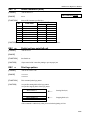
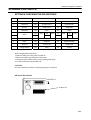
ESC M
Select character font
[FORMAT]
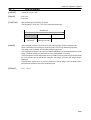
<1B>H<4D>H<n>
[RANGE]
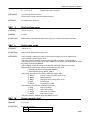
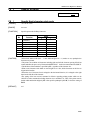
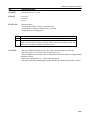
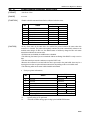
n=0,1,48,49
[FUNCTION]
Selects character fonts.
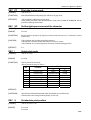
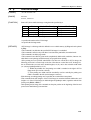
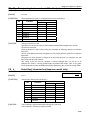
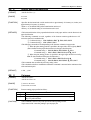
n
Function
0,48 Font A (12 x 24) selected.
28/28