1
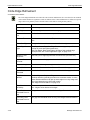
Origin
Impact Reference Guide
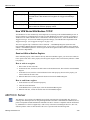
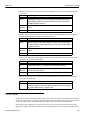
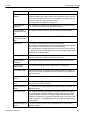
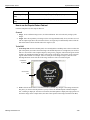
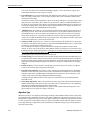
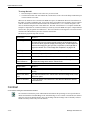
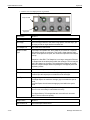
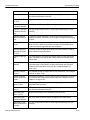
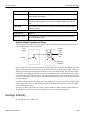
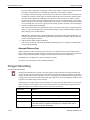
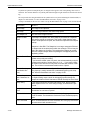
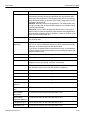
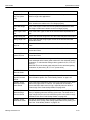
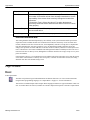
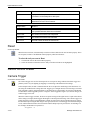
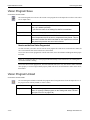
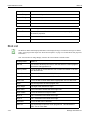
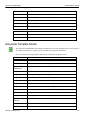
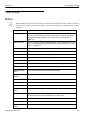
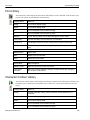
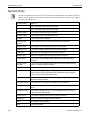
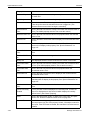
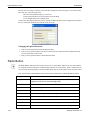
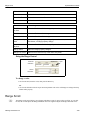
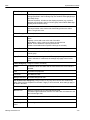
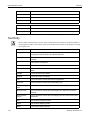
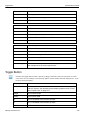
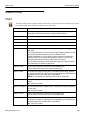
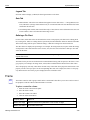
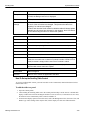
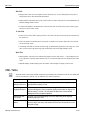
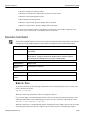
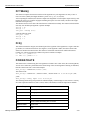
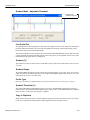
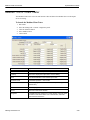
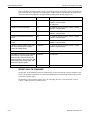
Event Name
When it happens
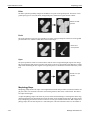
Selected
Enables the ability to edit the control
Unselected
Makes the control invisible
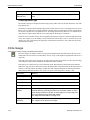
Origin
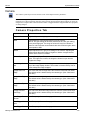
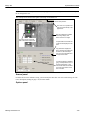
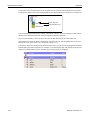
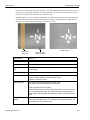
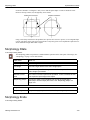
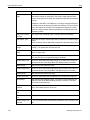
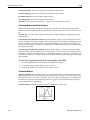
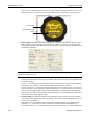
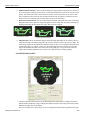
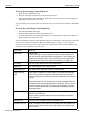
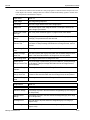
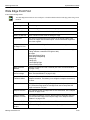
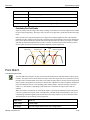
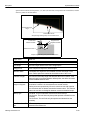
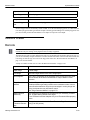
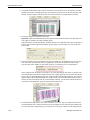
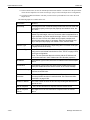
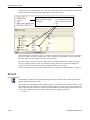
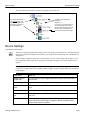
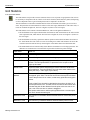
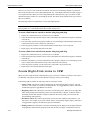
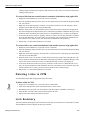
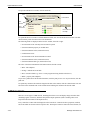
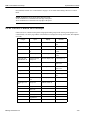
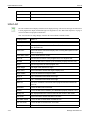
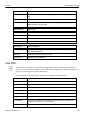
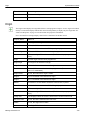
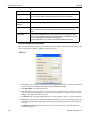
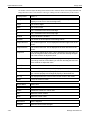
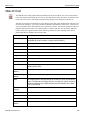
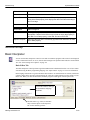
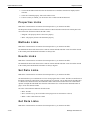
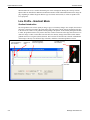
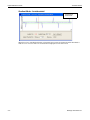
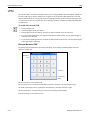
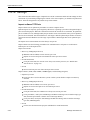
The Origin control displays an Origin linked from a vision program tool output. A tool’s origin can be linked
directly to controls that display an ROI. This control is used primarily to display only the Origin ROI. See
“ROI Color Properties” on page 4-34 for more ROI color properties information.
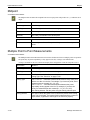
Note: You must have an Image Display control in the Control Panel to add this control.
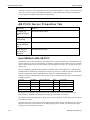
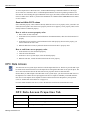
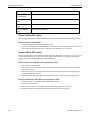
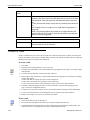
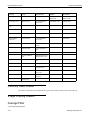
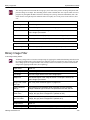
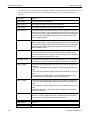
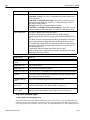
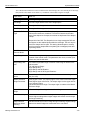
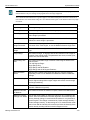
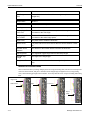
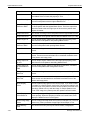
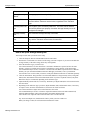
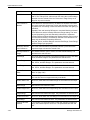
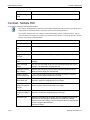
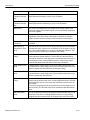
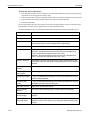
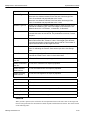
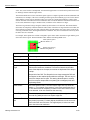
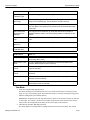
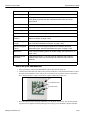
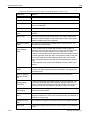
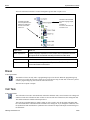
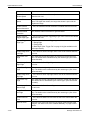
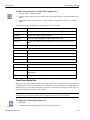
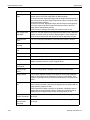
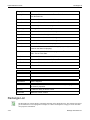
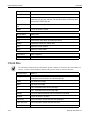
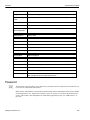
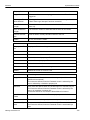
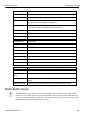
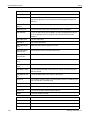
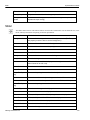
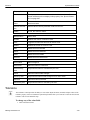
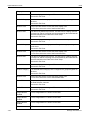
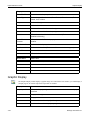
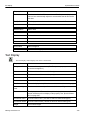
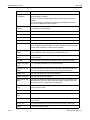
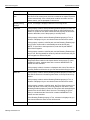
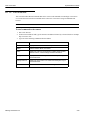
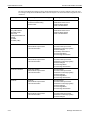
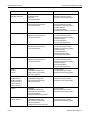
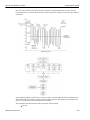
Property Name
What it is
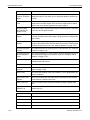
Angle
The Origin ROI’s angle.
Arrow Visible
If True, the ROI’s arrow is visible.
True Color
Click in the field to choose the ROI’s passing display color.
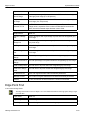
Draw to Edge
If True, the ROI is extended to the image’s edges
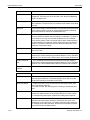
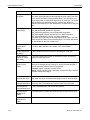
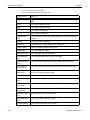
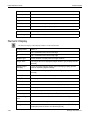
Movable
If True, the Origin ROI can be moved. (The Selectable property must be
True.)
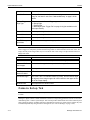
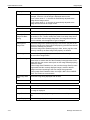
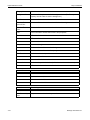
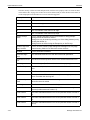
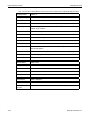
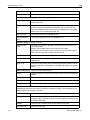
Origin
Link the origin from the vision program tool.
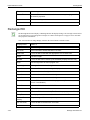
Origin Angle
The angle of the linked tool’s origin.
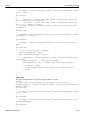
Origin Color
Click in the field to choose the tool’s origin color.
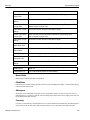
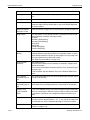
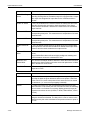
Extents
Link the ROI’s extents from the vision program tool. (Extents are the corner’s X-Y coordinates.)
Origin Visible
If True, the linked tool’s origin is visible.
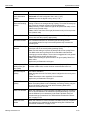
Origin X
The X coordinate of the linked tool’s origin.
Origin Y
The Y coordinate of the linked tool’s origin.
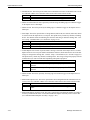
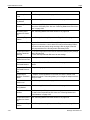
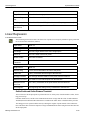
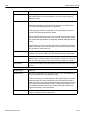
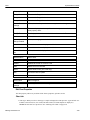
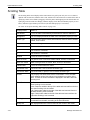
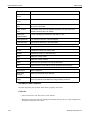
Radius
The radius of a circle drawn around the control’s ROI, in pixels.
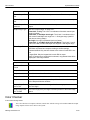
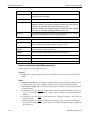
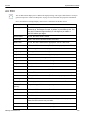
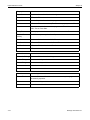
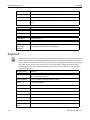
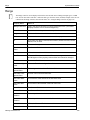
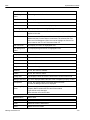
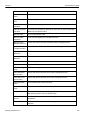
False Color
Click in the field to choose the ROI’s failing display color.
Selectable
If True, the Origin ROI can be selected.
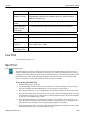
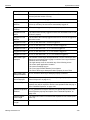
Sizable
If True, the Origin ROI can be resized. (The Selectable property must be
True.)
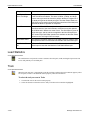
Tooltip Text
Text displayed when the cursor is held over the control in Run mode.
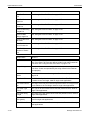
Use True Color
If True, the ROI is colored in the True Color.
Visible
If True, the Origin ROI is visible.
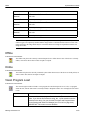
X
The Origin ROI’s X coordinate.
Datalogic Automation Inc.
4-40