1
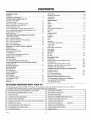
CONTENTS
I
I
INTRODUCTION
'Welcome ............................................
]_nstallation Considerations ..............................
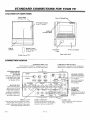
CONNECTIONS
FOR YOUR TV
l_cation of User Items ................................
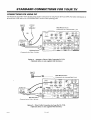
Connection Center ...................................
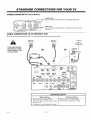
Basic Connection to TV Without VCR ...................
Basic Connection to TV With VCR ......................
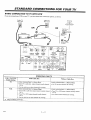
VCR Connections to TV ..............................
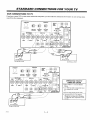
A/V Connections for Optional Video Equipment ...........
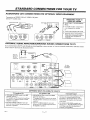
Audio Amplifier/Surround
Sound Connections to TV .......
Connections for Using PIP .............................
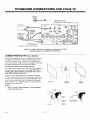
Screen Protector .....................................
ii
ii
I- 1
1-I
1-2
1-3
1-4
1-5
1-5
I-6
1-7
THE FIRST TIME YOU OPERATE YOUR TV
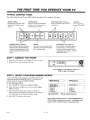
Typical Control Panel .................................
Step 1. Connect the Power .............................
Step 2. Select Your Main Viewing Source ................
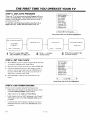
Step 3. Use Auto Program .............................
Step 4. Set the Clock ..................................
Step 5. Use Other Options .............................
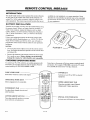
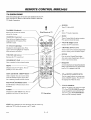
REMOTE
CONTROL
MODEL MBR3455
Introduction ..........................................
3-I
lqattery Installation ...................................
Choosing Operating Mode .............................
TV Operations ......................................
Remote Control Operating Mode Chart ...................
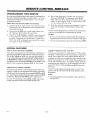
Programming Your Remote ............................
Special Features .....................................
Auto Find Option ....................................
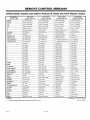
q?_, VCR and Cable-TV Brand Codes ....................
3-1
3-1
3-2
3-3
3-4
3-4
3-5
3-6
QUICK REFERENCE
TO ON-SCREEN
Available Menus .....................................
Basic Menu Operation ................................
SOURCE MENU
!Vlenu Operation .....................................
Source Selection .....................................
Source Identification ..................................
SETUP MEN[/
Auto Program .......................................
Ch. (Channel) Add/Del ................................
Ch. (Channel) I,abels .................................
Source ID ..........................................
Clock Set ...........................................
FEATURES
PROVIDED
2-1
2-1
2-1
2-2
2-2
2-2
SEQ (Spatial Equalization) .............................
Surround ...........................................
Null ................................................
VIDEO MENU
Contrast .............................................
7-1
7-1
7-1
Brightness ...........................................
Color ...............................................
Tint ...............................................
Sharpness ..........................................
Color Temp (Temperature) .............................
Video Filter .........................................
Auto Flesh ..........................................
Picture Pref. (Preference) .............................
Projo Setup ........................................
PIP MENU
PIP Color ...........................................
PIP Tint .............................................
PIP Size ............................................
8-1
8-1
8-1
8-1
8-1
8-1
8-1
8-1
8-1
5-1
5-1
5- I
6-1
6-1
6-1
6-1
6-1
Aviso para nuestros clientes de ha bla hispana
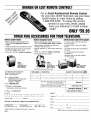
Accessories for Your Television
Your Zenith Warranty
TV
This operating guide describes a family of TV models. Not all models have all of the features described in this gu [de. Different
control panels may be used from model to model. Most models include the following features:
•
On-Screen Menus Accessed By Remote or TV Controls
• Multi-Brand Programmable
ap Picture-In-Picture
Remote Control
•
Audio/Video (A/V) Jacks
•
Super-VHS A/V Input Jacks
•
Surround Sound System
•
Automatic C.hannel Programming
•
MTS Stereo with SEQ (Spatial Efiu_alization)
•
Favorite Channel Add/Delete
•
Surround Sound Speaker Terminals
•
Channel Labels (ABC, TNT, etc.) for Easy Channel Identification
•
Variable Audio Output Jacks
_•
Multiple Input Sources
•
Surround Sound Speakers
•
Source Identification (VCR, Cable, etc.)
•
Sleep Timer and On/Off Timer
•
Antenna/Cable
•
181 Channel Tuning
•
•
Closed Caption and Text Modes
Parental Control
2936-O
and Loop Out Jacks
i
7-1
7-1
7- I
7-I
8-1
9-1
9-1
9-1
I0-1
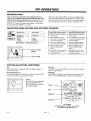
Selecting Main Picture and PIP Sources .................
PIP Functions ......................................
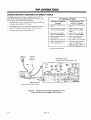
Operation with Antenna or Direct Cable ..................
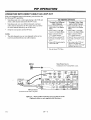
Operation with Direct Cable via Loop Out ................
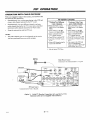
Operation with Cable Decoder ...........................
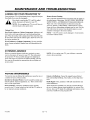
MAINTENANCE
AND TROUI!;LESHOOTING
Caring for Your TV .................................
Extended Absence ..................................
TV Picture Interference ..............................
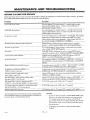
Before Calling for Service ............................
Replacement Product Registration Card
4-1
4-1
YOUR
6-1
6-I
6-1
6-1
PIP OPERATION
Introduction ........................................
MENUS
WITH
Timer Setup ..........................................
Parental Cti (Control) ...................................
Caption/Text ..........................................
Background ..........................................
AUDIO MENU
Bass ...............................................
Treble .............................................
Balance ..............................................
Audio ..............................................
(Optional)
I0-1
I0-1
10-2
10-3
10-4
I 1-1
11-1
11-1
11-2