1
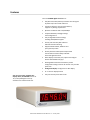
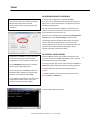
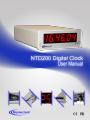
Power, Accessories and Software Due to the large variety of clocks covered in this User Manual, the list of accessories below is for illustrative purposes. Refer to your sales order for actual items shipped. Cat5 patch cable CD-ROM power cord NTD200 digital time display (clock) Cat 5 patch cable CD-ROM (with WinDiscovery software application and User Manual pdf) Power cord (select power option when ordering) Note: Configuration can be done using WinDiscovery (USB or Ethernet) or Telnet (Ethernet) 5 Above left: Ethernet – Insert the CAT5 Ethernet patch cable (included into the RJ45 socket to sync with NTP source. Above right: DC power – Insert the DC power cord (included) into the DC IN socket located on the back panel. RACK MOUNT BRACKET Attach the Cat 5 cable and/or power cord, and then secure the clock to the equipment rack (RM4 shown below). RM4 Masterclock NTD200 Series User Manual – v1 – January 2014