1
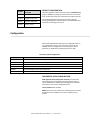
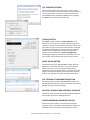
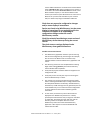
SETTING
CONFIGURATION
SELECTION
Disabled
Time Zone Offset
Disabled
Daylight Savings Time
Enabled
NTP Client with DHCP
Enabled
24 Hour format
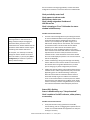
DEFAULT CONFIGURATION
The factory defaults may be restored by using the WinDiscovery
program, Telnet or by using the reset button at the rear of each
clock. On dual face clocks, the reset button is located on the top.
Your NTD200 clock/device ships from the factory with the
following configuration as defined below. The NTD200 firmware
interprets the incoming time as UTC.
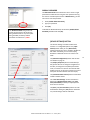
Configuration
Masterclock NTD200 clocks maintain their configuration data in
non-volatile flash memory, even when the power is off. Our
NTD200 clocks are configured on screen using either Telnet
(Ethernet), or WinDiscovery software (Ethernet or USB).
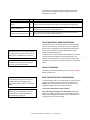
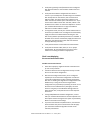
The factory default configuration:
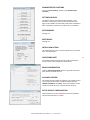
SETTING
CONFIGURATION SELECTION
Enabled
DHCP/BootP provided network configuration
Enabled
DHCP provided NTP server address entry
Enabled
Query (Unicast) NTP client
Disabled
Time Zone offset
Disabled
Automatic Daylight Savings Time adjustment
Enabled
Telnet access
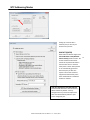
DHCP/BOOTP AUTO-CONFIGURATION
DHCP (Dynamic Host Configuration Protocol) is a mechanism
for automating the configuration of network devices that use
TCP/IP. When DHCP is enabled, DHCP configuration acquisition
will overwrite any manual configuration items.
Factory default: DHCP enabled.
BOOTP was a precursor to DHCP. The network device can obtain
configuration from a BOOTP server when no DHCP server is
present.
Masterclock NTD200 Series User Manual – v1 – January 2014
8