1
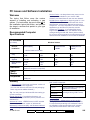
Hard Drive At least 500 MB of free space while Windows is running is recommended for a full installation and typical database. Software installation may include: The Director software; The card-badging software; MS Internet Explorer components; MS SQL-server components. For demonstration purposes, you can likely install with only 200-250 MB of space available (with Windows running), however this is NOT recommended for a real/working installation. Note: With larger / busier systems, additional hard drive space will be necessary. (This is unlikely to affect your PC specifications, though, since the smallest harddrives available today are in the multi-gigabyte range.) Software Media / other Drives CD-ROM drive, double-speed (2X) or higher. Communications Ports (Serial / USB) One free serial port (COMx) is required for each direct panel connection (and external modem), in addition to any serial ports used by a mouse, or other devices. One USB port will also be needed (Director-server PC) for the software 'activation' key. Notes: Resources for serial ports cannot be 'shared'. In a multi-PC (client-server) system, panel connections can be spread across the available workstations as desired. The activation key works with the provided license-manager software to manage software licensing and maximum system capacities. Modems (for remotely managed panels) Panels can communicate with the Director software through a direct-cable-connection, a dial-up modem, or an IP connection. xL panels (narrow mainboard) support a modem module that plugs onto the panel mainboard. ISM panels (square mainboard) use a built-in modem/dialler for small accounts, or an external modem as described below. tested, and can be used if desired. Exception: This modem cannot be used in conjunction with the Bell 103 (300 baud) support which is built into the panels. Bell 103 connections require a USR Sportster 56K modem at the PC. Modems for panels must support a standard serial connection. As well, these modems must support "Auto-Answer", and a connection speed of "38,400 baud"—either through physical switches, or programmable in 'Flash' memory that is not affected by power failure. Where panels are to dial into the VEREX Director system to transmit activity messages, each panel requires its own dedicated modem. Otherwise, up to 30 panels can be connected together (via RS485) to share a single modem. Notes: Modems require a direct/analogue telephone line. Our testing was done using a US Robotics Sportster 56K modem. We provide details on how to set up this model of modem. Other brands and models may require more detailed knowledge of modem configuration. Printer and Parallel Printer Port For printing reports, you can use any printer supported by your version of Windows (capable of printing at a suitable speed under MS Windows). System Panels Main panels must have an up-to-date main board and 'EPROM' chip to be compatible with this software. Existing/older panels must be upgraded or replaced. Tip: For details, refer to the instructions provided with your panel upgrade kits. Tip: For details on wiring and modem set-up, refer to the Hardware or Commissioning guide for your panel. Modems that support a connection speed of 38,400 baud are required (e.g., V90 compliant). It is best to use the same brand at the PC and panel(s). A US Robotics Sportster 56K modem is recommended. The LASAT Safire 560 Voice Modem has also been 21-0381E v4.9.1 Welcome Report Control Admin Sys Config Tech-Ref 297