1
9 Downloading Images to Your Computer
The screen images shown here may differ from the images
displayed on your computer depending on your computer OS.
For Windows
Refer to P.210 for Macintosh.
You can download images to a computer using either of the
following methods.
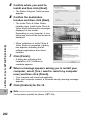
1
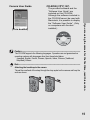
To use DL-10, you must install the software from the supplied CD-ROM (GP.199).
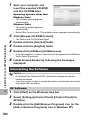
2
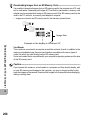
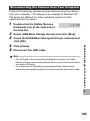
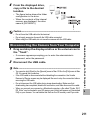
Download images without using DL-10 or other
image download software. (GP.206)
Caution-----------------------------------------------------------------------------------------You cannot download images from this camera to a computer running Windows 98 or
98 SE.
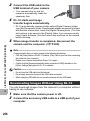
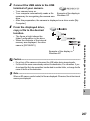
Note ---------------------------------------------------------------------------------------------For details on how to download images from the camera to your computer, see the
“Software User Guide” available from the supplied CD-ROM. For how to display the
“Software User Guide”, see P.203.
Downloading Images to Your Computer
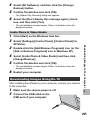
Download images using DL-10 or other image
download software. (GP.205)
9
197