1
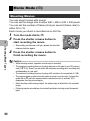
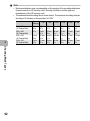
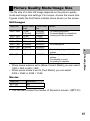
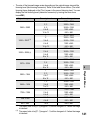
Note ---------------------------------------------------------------------------------------------• The flash cannot be used.
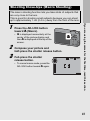
• While shooting movies, only digital zoom can be used (up to 4.0×). (GP.40)
• When the shutter release button is pressed in Step 2, the camera focuses on the
subject.
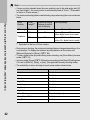
• The remaining recording time may not change uniformly because it is recalculated
from the remaining memory capacity during movie recording.
• Use the shooting menu to set the image size and frame rate of movies.
• The shooting menu items for movie mode differ from those in still image mode.
(GP.94)
• Depending on the remaining battery level, the battery may become depleted during
movie shooting. Use of a battery with adequate remaining power is recommended.
• Use of a high speed SD memory card with sufficient memory is recommended when
shooting for long periods.
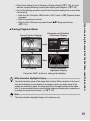
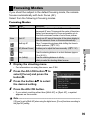
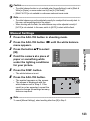
Setting the Frame Rate
1
2
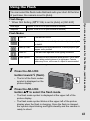
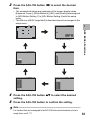
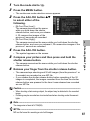
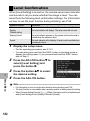
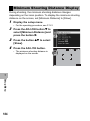
Turn the mode dial to 3.
Press the MENU button.
• The shooting menu is displayed.
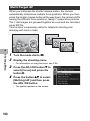
3
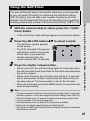
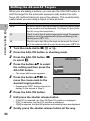
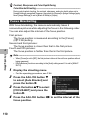
Press the ADJ./OK button " to
select [Frame Rate] and press
the button $.
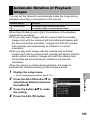
4
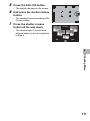
Press the button !" to select
[30 Frames/Sec] or [15 Frames/
Sec].
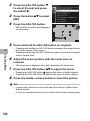
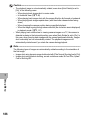
5
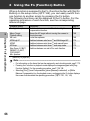
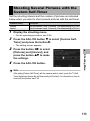
Press the ADJ./OK button.
Shooting Mode Types
You can select the number of shot frames per second (frame rate)
in movie mode.
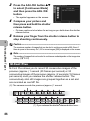
3
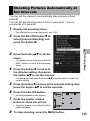
• The setting appears on the screen.
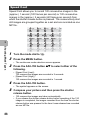
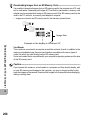
Movie Frames--------------------------------------------------------------------------------Movies consist of many frames whose images appear to be moving when displayed at
high speed.
91