1
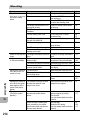
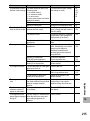
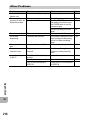
Setting
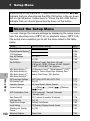
Auto Rotate
Card Sequence No.
Date Settings
Language/N(*)
Video Out Mode(*)
(*)
Options [Default Settings]
[On], Off
On, [Off]
, English, Deutsch, Français, Italiano,
Español,
,
,
,
,
NTSC, PAL
Refer to
P.185
P.187
P.188
P.189
P.190
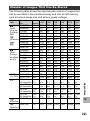
The default setting varies depending on where you purchased the camera.
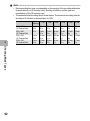
Note ---------------------------------------------------------------------------------------------• In easy shooting mode, the quantity and order of the items in the setup menu are
different from other shooting modes. The contents of the settings are the same as
other modes.
• The items that can be set with [Set Fn Button] and [ADJ Button Setting 1/2/3/4] differ
depending on the shooting mode. See the corresponding reference page for details.
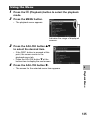
Using the Menu
In the instructions of this manual, the menu selection is confirmed when you “Press the ADJ./
OK button” (as in Step 8 below), but you can also confirm the setting and return to the menu
screen by pressing the ADJ./OK button #.
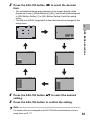
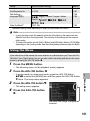
1
Press the MENU button.
• The shooting menu (or the playback menu) appears.
2
Press the ADJ./OK button #.
3
Press the ADJ./OK button ".
• The setup menu appears.
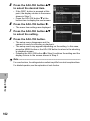
4
Press the ADJ./OK button
$.
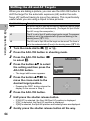
7
Setup Menu
• In scene mode or continuous mode, press the ADJ./OK button
!"#$ to select the [MODE] tab, and then press the ADJ./OK button
" twice. The setup menu appears.
Indicates the range of displayed
screens.
161