1
Installing Options
Type 1 Printer: Installing Options
Type 1 Printer: Installing the
Paper Feed Unit (DLT) Type
2000
2
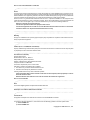
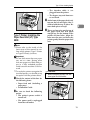
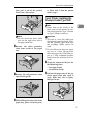
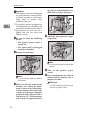
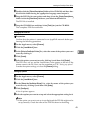
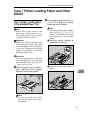
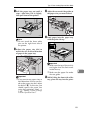
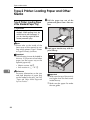
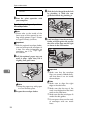
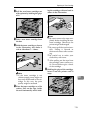
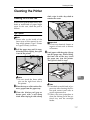
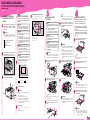
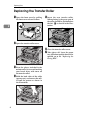
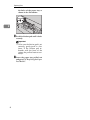
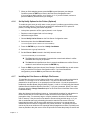
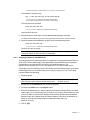
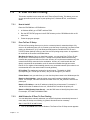
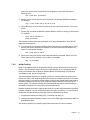
used to hold the tray in place. Remove both pieces of tape.
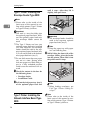
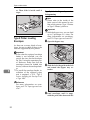
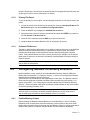
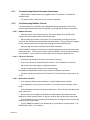
D Attach the tray cover to the top of
the paper tray as shown in the illustration.
Note
❒ Please refer to the inside of the
front cover of this manual to confirm which printer (Type 1 Printer
or Type 2 Printer) you have.
Important
❒ Do not slide more than one paper
tray out at a time. Having more
than one paper tray filled with paper in a fully extended position
could cause the machine to tilt forward.
❒ To make the printer recognize the
installed option, you should set up
the option with the printer driver.
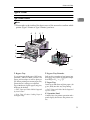
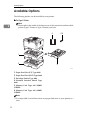
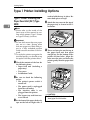
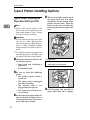
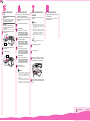
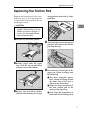
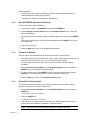
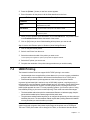
A Check the contents of the box for
TS3P070E
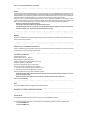
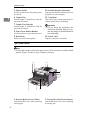
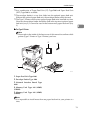
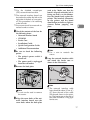
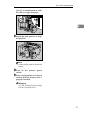
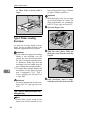
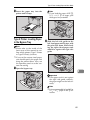
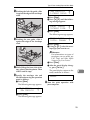
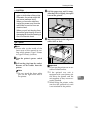
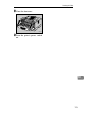
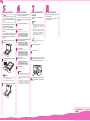
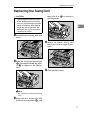
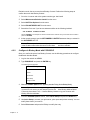
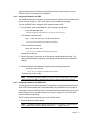
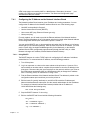
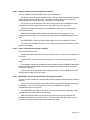
E There are four pins on the top of
the paper feed unit that point
straight up. On the bottom of the
printer are four holes. Align the
holes over the pins and lower the
printer gently onto the paper feed
unit.
the following items.
• Paper feed unit (including a
paper tray)
• Tray cover
• Installation Guide
B Be
sure to check the following
points:
• The printer's power switch is
turned off.
• The power cord is unplugged
from the wall outlet.
• The interface cable is unplugged from the printer.
• The bypass tray and front cover are closed.
C At the front of the paper feed unit,
tape on the left and right sides is
14
TS3P061E
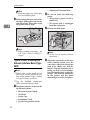
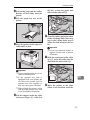
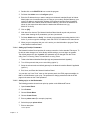
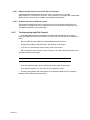
R CAUTION:
• When lifting the printer, use the
inset grips on both sides.