1
Kaleidescape Installation Guide
System Configuration
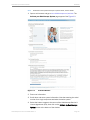
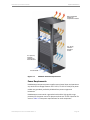
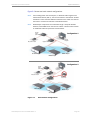
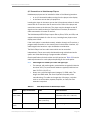
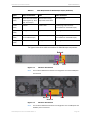
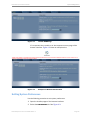
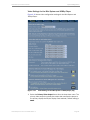
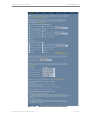
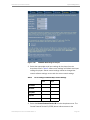
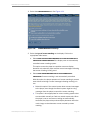
Figure 4-9
Audio Settings for M500 and M300 Players
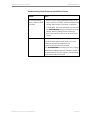
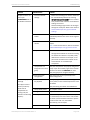
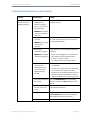
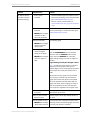
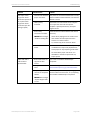
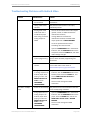
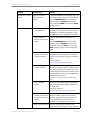
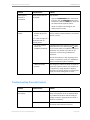
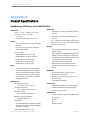
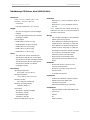
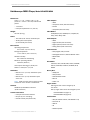
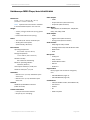
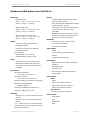
Table 1 shows the output with default settings. These settings provide
maximum compatibility.
Table 1
Outputs with the Player Decode (Default) Audio Setting
Audio Output Format HDMI
Coax/Optical
Analog
CD
PCM stereo
PCM stereo
Stereo
DVD
PCM up to 5.1 channels Source bitstream
Blu-ray Disc
PCM up to 5.1 channels DTS up to 5.1 channels Stereo
or PCM Stereo
Stereo
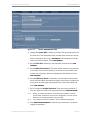
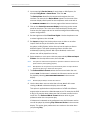
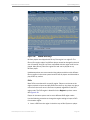
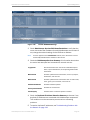
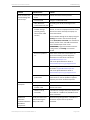
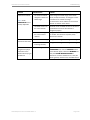
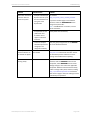
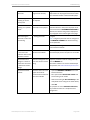
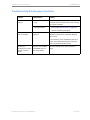
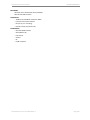
1. Configure the HDMI audio decode mode.
• Player Decode Mode
• Bitstream Pass-Through Mode
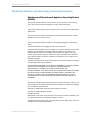
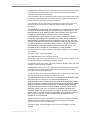
The audio decode mode affects all other audio settings. The decode
mode determines if the player or the receiver decodes the audio.
Audio can be sent as multichannel PCM over HDMI by default, with all
outputs enabled, or it can be passed through to HDMI with other outputs
disabled.
Kaleidescape Part No. 101-0105-00 Rev 3
Page 75