1
4.3.2
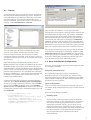
Alerts and notifications
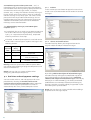
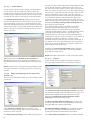
Each email scanned by ESET Mail Security and marked as
spam can be flagged by appending a notification tag to
the email subject. By default, the tag is [SPAM], although
it can be a user-defined string.
NOTE: You can also use system variables when adding a
template to the message subject.
4.3.3
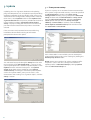
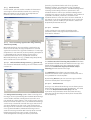
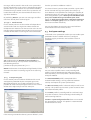
In the Allowed IP addresses tab you can specify IPs that
should be approved, i.e., if the first non-ignored IP in
Received headers matches any address in this list, the
message scores 0 and no other checks are made.
Transport Agent
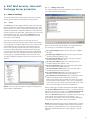
In this section you can set up options for spam protection
using the transport agent.
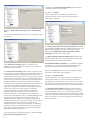
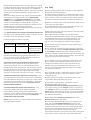
In the Ignored IP addresses tab you can specify IPs that
should be ignored during Real-time Blackhole List (RBL)
checks. You should include all internal IP addresses within
the firewall not directly accessible from the Internet.
Doing so prevents unnecessary checks and helps identify
actual connecting IP addresses. Internal IP addresses are
already skipped by the engine (192.168.x.y and 10.x).
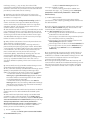
In the Blocked IP addresses tab you can specify IPs that
should be blocked, i.e., if any non-ignored IP in Received
headers matches the address in this list, the message
scores 100 and no other checks are made.
In the Allowed domains tab you can specify domains
used in the message body that should be approved.
In the Ignored domains tab you can specify domains
used in the message body that should always be
excluded from the DNSBL and MSBL checks and ignored.
In the Blocked domains tab you can specify domains
used in the message body that should always be blocked.
NOTE: Unlike IP addresses, wildcards cannot be used for
domains.
NOTE: The transport agent is not available in Microsoft
Exchange Server 5.5.
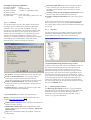
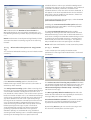
You can take any of the following actions with spam
messages:
Retain the message even if it is marked as spam
Send the message to the quarantine mailbox
Delete the message
If you want to include information about a message’s
spam score in its header, enable the Write spam score to
scanned messages option.
The Enable Greylisting function activates a feature that
protects users from spam using the following technique:
The transport agent will send a “temporarily reject” SMTP
return value (default is 451/4.7.1) for any received email
that is not from a recognized sender. A legitimate server
will try to resend the message after a delay. Spam servers
22