1
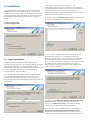
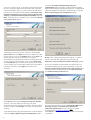
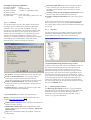
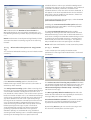
If you use a proxy server, it must be correctly configured
for virus signature updates to work correctly. If you do
not know whether you use a proxy server to connect to
the Internet, select the default setting I am unsure if my
Internet connection uses a proxy server. Use the same
settings as Internet Explorer (Recommended) and click
Next. If you do not use a proxy server, select the I do not
use a proxy server option.
To configure your proxy server settings, select I use a
proxy server and click Next. Enter the IP address or URL
of your proxy server in the Address field. In the Port field,
specify the port where the proxy server accepts
connections (3128 by default). In the event that the proxy
server requires authentication, enter a valid Username
and Password to grant access to the proxy server. Proxy
server settings can also be copied from Internet Explorer
if desired. To do this, click Apply and confirm the
selection.
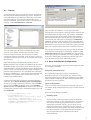
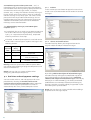
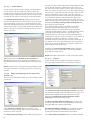
Click Next to proceed to Configure automatic update
settings. This step allows you to designate how
automatic program component updates will be handled
on your system. Click Change... to access the advanced
settings.
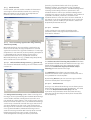
If you do not want program components to be updated,
select the Never update program components option.
8
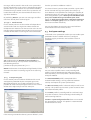
Select the Ask before downloading program
components option to display a confirmation window
before downloading program components. To download
program component upgrades automatically, select the
Always update program components option.
NOTE: After a program component update, a restart is
usually required. We recommend selecting the If
necessary, restart computer without notifying option.
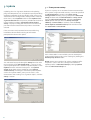
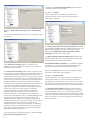
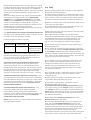
The next installation window offers the option to set a
password to protect your program settings. Select the
Protect configuration settings with a password option
and choose a password to enter in the New password
and Confirm new password fields.
The next two installation steps, ThreatSense.Net Early
Warning System and Detection of potentially
unwanted applications are the same as in Typical
installation (see “Typical installation” 6 ).
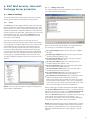
Click Install in the Ready to install window to complete
installation.