1
SQ: 5-35
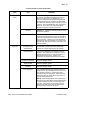
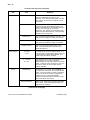
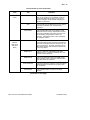
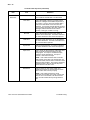
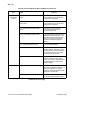
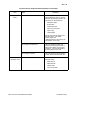
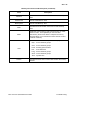
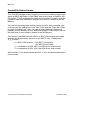
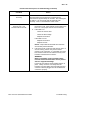
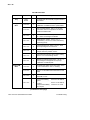
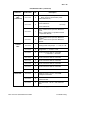
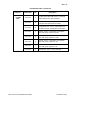
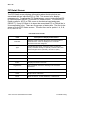
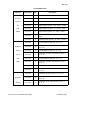
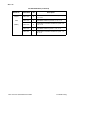
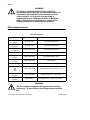
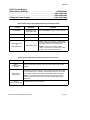
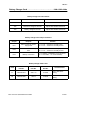
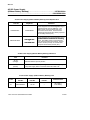
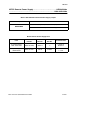
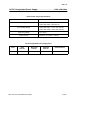
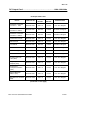
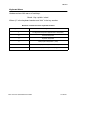
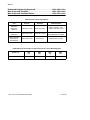
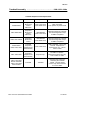
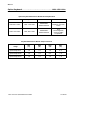
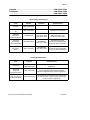
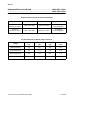
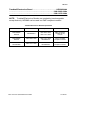
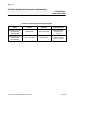
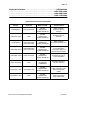
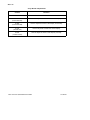
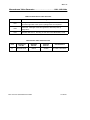
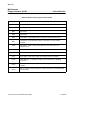
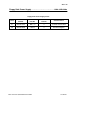
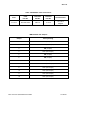
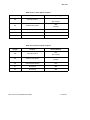
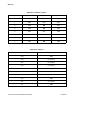
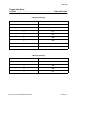
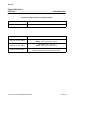
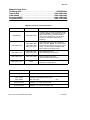
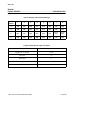
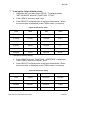
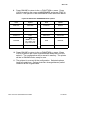
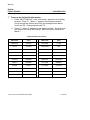
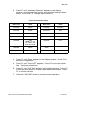
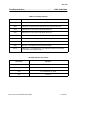
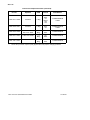
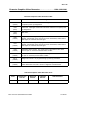
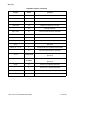
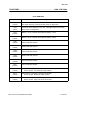
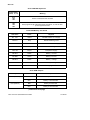
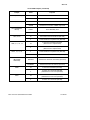
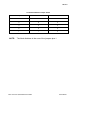
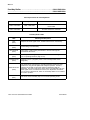
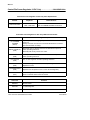
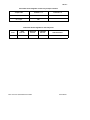
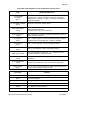
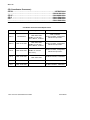
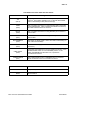
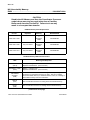
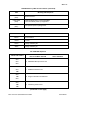
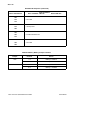
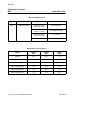
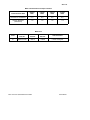
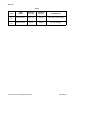
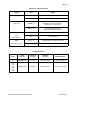
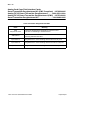
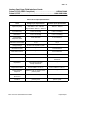
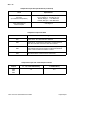
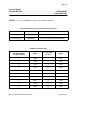
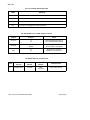
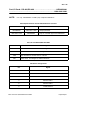
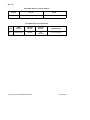
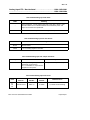
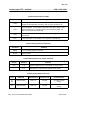
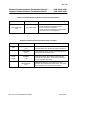
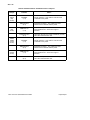
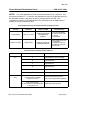
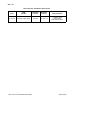
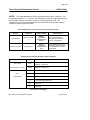
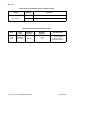
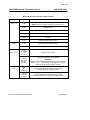
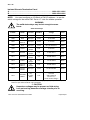
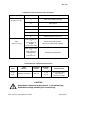
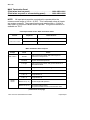
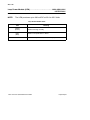
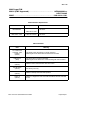
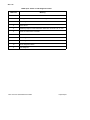
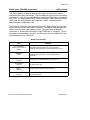
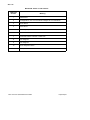
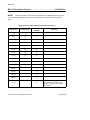
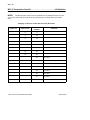
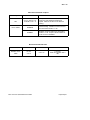
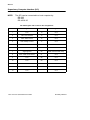
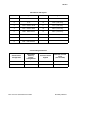
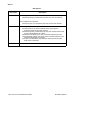
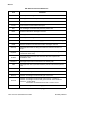
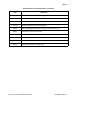
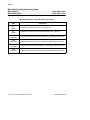
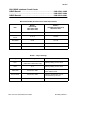
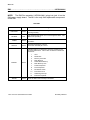
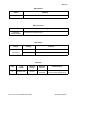
3. Press F1 until “Hardware Features” appears in the display
window. Scroll through the options and verify the settings shown
below. Scroll with F2. Change options with F3.
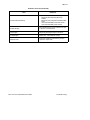
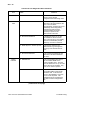
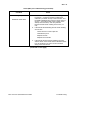
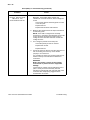
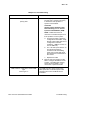
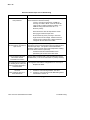
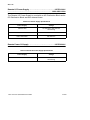
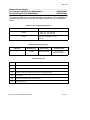
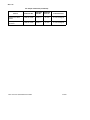
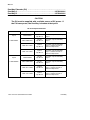
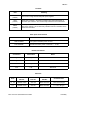
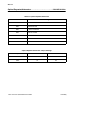
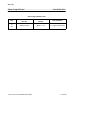
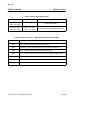
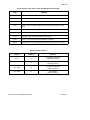
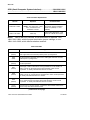
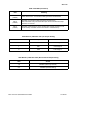
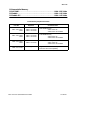
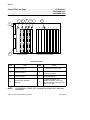
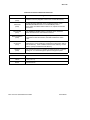
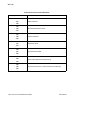
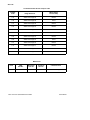
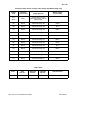
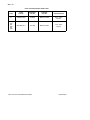
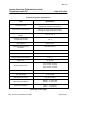
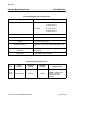
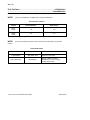
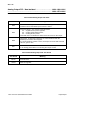
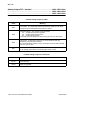
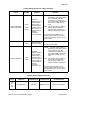
Fujitsu DL4600 Printer Setup
Menu Item
Value
Menu Item
Value
SensePE
REAR
FORMAT
8 NONE 1
PRT-DIR
BI-DIR
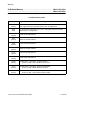
BAUD-RT
4800
BUZZER
ON
PROTOCOL
XON/XOF
WORD-LG
8 BIT
DSR
IGNORE
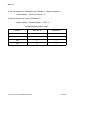
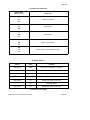
BUFFER
8 KB
NOTE: Do not
use a buffer size
larger than 8 KB.
DUPLEX
FULL
FEEDER
REAR
=END=
INTRFCE
SERIAL
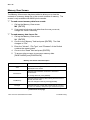
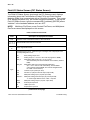
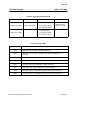
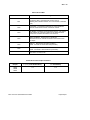
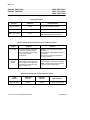
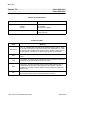
4. Press F1 until “Save” appears in the display window. Press F3 to
save the configuration.
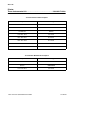
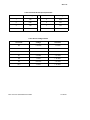
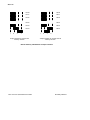
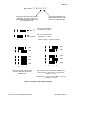
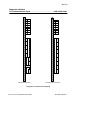
5. Press F1 until “Func LIST” appears. Press F3 to print the option
lists. Verify the printed lists.
6. Press F1 until “Self Test” appears in the display window. Press F3
to start the test, press F2 to stop it after about 30 seconds. Press
F1 to exit the self test.
7. Press the “ON LINE” button to resume normal operation.
RS3: Service Quick Reference Guide
Consoles