1
Reference
143
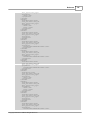
<field39>
<name>Fixed Text</name>
<item_id>-10105</item_id>
<data_type>0</data_type>
<properties>
<len>1</len>
<text>.</text>
</properties>
</field39>
<field40>
<name>Line Break</name>
<item_id>-10103</item_id>
<data_type>0</data_type>
<properties>
</properties>
</field40>
</page1>
<page2>
<properties>
<name>File Header</name>
<user_name></user_name>
<element_type>201</element_type>
<field_count>0</field_count>
</properties>
</page2>
<page3>
<properties><name>File Footer</name>
<user_name></user_name>
<element_type>211</element_type>
<field_count>0</field_count>
</properties>
</page3>
</pages>
</XDF>
</XMLOptions>
5.1.8.1.1.1 MusicMaster DOS Export
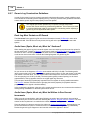
Users of MusicMaster's original DOS program need to generate a file named LIBRARY.ASC with the
MusicMaster MS2ASC utility. The resulting LIBRARY.ASC file will then need to be copied to a location
where XStudio can retrieve it for import. MS2ASC.EXE uses a file that the user creates and saves as
MS2ASC.DEF. This is the same layout used to create a MAESTRO.MDB file. If you have created this
file for Maestro, you can use it for XStudio as well.
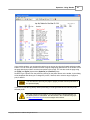
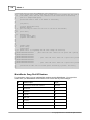
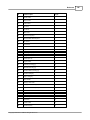
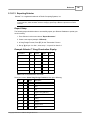
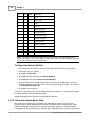
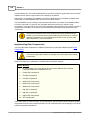
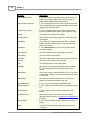
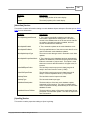
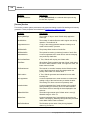
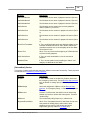
MS2ASC.DEF Layout
The typical MS2ASC file contains the following information -- notes in [ ] are for your information and
are not part of the file.
© Copyright 2003-2015 C-R Media All Rights Reserved.