1
Getting Started
2.2.3
Installing the Enclosure in Rack
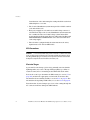
CAUTION: The EF2800 enclosure with all its component parts installed is
too heavy for easy installation into a rack cabinet. The following
procedures describe the installation of the enclosure and highlights any
critical co-requisite requirements and good handling practices which we
encourage you to follow so as to ensure that a successful installation is
achieved in the easiest manner.
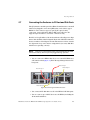
1.
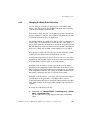
Install the two rail/support assemblies in the rack.
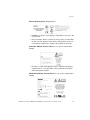
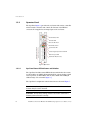
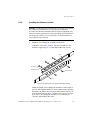
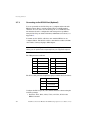
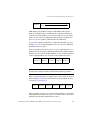
Using three #10 screws, washers, and nuts, assemble the rail
inside the support (Figure 16). Only finger-tighten the screws.
Rail
#10 Nut (3)
#10 Washer (3)
#10 Screw (3)
Support
Figure 16. Assembling Rail to Support (Left Hand Assembly)
Adjust the length of the rail/support assembly to fit the depth of
the rack. Then tighten the three screws and nuts on the assembly.
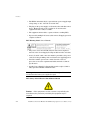
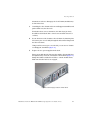
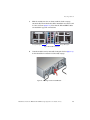
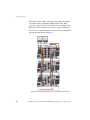
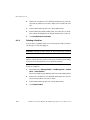
Fasten the assembly to the rack frame using four #10 screws, two
in front and two in rear (Figure 17). Make sure you leave enough
space above the rail/support assembly to accommodate the
enclosure. Then tighten all screws.
DataDirect Networks EF2800 FC RAID Storage System User Guide (V 1.0)
19