1
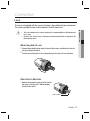
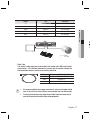
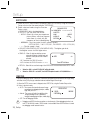
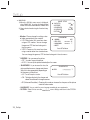
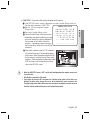
CONNECTING TO MONITOR ಲ Connect the Video OUT port on the rear panel of the camera to a monitor. ㎫ VIDEO ● CONNECTION CLASS 2 ONLY POWER Monitor Camera As the connecting method varies with the instruments, refer to the manual supplied y with the instrument. Only connect the cable when the power is turned off. y CONNECTING TO POWER ಲ Since power specifications differ depending on the model, make sure to check your model name and specifications before connecting power. You can connect power as shown in the following figure. 6 ㎫ ※ For AC / DC power SCB-2005 • Since SCB-2005 the power specification supports both AC and DC, connect AC 24V, 500mA Adaptor or DC 12V, 500mA Adaptor. CLASS 2 ONLY VIDEO POWER Power English_15