1
4100_Ch3_eng
6/15/05
8:34 AM
Page 1
Using the
System
ORDER YOUR BELL EXPRESSVU PROGRAMMING
This procedure notifies the Bell ExpressVu Customer Service Call Centre that your
system is on-line and installed. You need to have your services activated before you can
start enjoying your desired programming. Prior to authorization, you will see the Bell
ExpressVu XPRS Preview Channel and perhaps an unscrambled program channel such
as CBC. You must authorize your services when you first install your Bell ExpressVu
system, and whenever you request to add or remove services.
All you need to do is call the Bell ExpressVu Customer Service Call Centre at 1-888SKY-DISH and notify them that your system has been installed and you would like to
begin receiving programming. The Service Representative will explain the available
program packages and à la carte services and take you through the authorization
procedure and software download steps. When the services are authorized, you should
see channels other than the Bell ExpressVu Preview Channel. You will need to give the
Bell ExpressVu Customer Service Representative some information. To get this
information, do the following:
1. Make sure the dish is aimed for the maximum signal strength, and that the
information has been transmitted via the satellite signal. See the Installation
Instructions for these procedures.
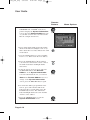
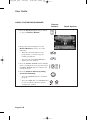
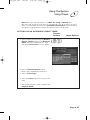
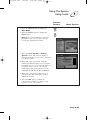
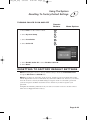
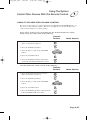
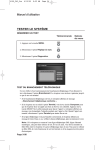
2. Display the System Information menu, shown below. To do this, press the
System Information button on the remote control.
The Bell ExpressVu Customer Service Representative will authorize your programming
using the satellite signal.
Page 3-1
4100_Ch3_eng
6/15/05
8:34 AM
Page 2
User Guide
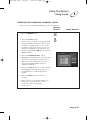
USING THE REMOTE CONTROL
ABOUT THE REMOTE CONTROL
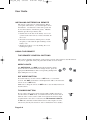
The remote control is designed for use with applicable DBS receivers.
It provides easy access to all the features of the Bell ExpressVu system,
including changing channels and using menus. This remote can also
control other electronic devices to allow easier, more convenient use of
your total home entertainment system. These instructions describe all of
the buttons on the remote, their capabilities, and the advanced functions of
this particular remote control.
You can use the remote to control not only the satellite receiver but also a
TV, VCR, cable TV box, or an audio amplifier. You can program this
remote to control a maximum of three other electronic devices.
Page 3-2
4100_Ch3_eng
6/15/05
8:34 AM
Page 3
Using The System
Using The Remote Control
ABOUT THE IR REMOTE
The IR remote uses infrared light to control the receiver and has a maximum range
of 40 feet. You must point the remote directly at the receiver, with no solid objects in
the way.
Do NOT change the address of an IR Remote. The IR Remote Control is programmed
to control the satellite receiver when packaged. Unless you have two receivers in the
same room, you should not need to change the address. If you have two receivers in the
same room and the remote is controlling both, perform the Changing the Remote
Address procedure on page 3-9 to change the address of the remote to specifically
control one satellite receiver.
Page 3-3
4100_Ch3_eng
6/15/05
8:34 AM
Page 4
User Guide
INSTALLING BATTERIES IN REMOTE
The remote control uses 4 AAA batteries. When
you replace old batteries, you should replace all of
the batteries. Use batteries of the same grade and
do not mix batteries of different grades. Alkaline
batteries provide longer battery life.
1. Push down on the slot in the battery case cover
(on the back of the remote control) and slide off
the cover.
2. Insert the new batteries, making sure to match
the plus (+) ends with the plus markings on the
battery case.
3. Replace the battery cover by sliding the cover
back up into place.
USING THE REMOTE
THE REMOTE CONTROL BUTTONS
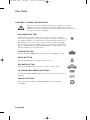
This section describes the buttons on the remote control. Some features described below
may not be applicable with your particular satellite receiver model.
MODE LIGHTS
The SAT,TV,VCR, and AUX mode buttons indicate which
device the remote will control. To change modes, press the
appropriate MODE button. The corresponding background
light will light for 2 seconds.
SAT MODE BUTTON
Press this button to set the remote to SAT mode, to control the
receiver. The SAT mode button’s back light turns ON to show that the
remote is set to SAT mode.
Make sure to keep the remote in SAT mode to use the buttons that are
described here.
TV/VIDEO BUTTON
If you connect the receiver using only the RF or VHF connections,
use this button, in SAT mode, to switch between the receiver and an
alternate video source such as cable or broadcast TV antenna input
(it will switch to the device routed into the TV Antenna Cable In).
In TV mode, this button will switch between video inputs on some
televisions (check your television owner’s manual for more details).
Page 3-4
4100_Ch3_eng
6/15/05
8:34 AM
Page 5
Using The System
Using The Remote Control
MENU
In SAT mode, press the MENU button to open the Main menu.
POWER
In SAT mode, press the POWER button to turn the receiver ON or
OFF. The green power light on the receiver front panel lights up to
indicate the receiver is ON. For each mode, the POWER button will
turn that device on and off. Note: You must program the remote for
that device.
PAGE UP OR DOWN ARROWS
In SAT mode, press the PAGE UP button or the PAGE DOWN
button to scan, page by page, through the Program Guide, a
Theme Categories list, a Favourite List, an Event Timers list,
or a list of channels.
MUTE
In any mode, press the MUTE button to temporarily turn off the
sound. Press it again to restore the sound. The MUTE button works
only if you have programmed the remote. See “Programming the
Remote to Control Other Devices” on page 3-5. If, after programming
the remote, you still cannot turn up the volume, your receiver may
have its own volume. Try one of the following:
• Push and hold the POWER button for 5 seconds. Or,
• Using the Programming the Remote to Control Other Devices
(Page 3-48) procedure in SAT, TV, or VCR mode, the code 222
will program the remote to control the sound volume in some
satellite receivers. Note: To control your TV, you will need to
reprogram the remote back to the code that works for your
particular TV.
VOLUME
In any mode, press the plus (+) side of the VOLUME button to
increase the sound volume. Press the minus (-) side of the VOLUME
button to reduce the sound volume. This button works only if you
have programmed the remote. See “Programming the Remote to
Control Other Devices” on page 3-48. If, after programming the
remote, you still cannot turn up the volume, your receiver may have
its own volume. Try one of the procedures described under Mute.
Page 3-5
4100_Ch3_eng
6/15/05
8:34 AM
Page 6
User Guide
GUIDE
In SAT mode, press the GUIDE button to open the Program
Guide. When the Program Guide is open, press the GUIDE button
to switch between favourites lists.
SELECT
In SAT mode, press the SELECT button to select the highlighted
option in a menu and perform the function.
In VCR mode, this is the Play button. Press this button to play the
video tape.
In TV or AUX mode, this button functions as an Enter button.
UP/DOWN/LEFT/RIGHT ARROWS
In SAT Mode:
• When using a menu, press the ARROW buttons to move the
highlight to the desired option.
• When watching a program, press the RIGHT arrow to open the
Browse Banner or the UP or DOWN arrow to change channels.
• When the Browse Banner is open, press the UP or DOWN
arrow to view the Browse Banner for the next channel.
• When a menu offers a list of choices, press the UP or DOWN
arrow to bring more choices into view.
• When the Program Guide is open, press the UP or DOWN
arrow to move the highlight through the channels.
• When a number must be entered in a menu, press the UP or
DOWN arrow to increase or decrease the highlighted number.
• When the Browse Banner or Program Guide is open, press
the LEFT or RIGHT arrow to display programs in different time
periods (but not a time period earlier than the present).
• If your receiver supports the Themes option, when watching a
program press the LEFT arrow button to open the Themes
categories.
In VCR Mode:
• The Up arrow is Stop. Press this button to stop the tape
• The Down arrow is Pause. Press this button to temporarily stop
the video tape during recording or play. Press the Pause or Select
(Play) button to restart the tape.
• The Left arrow is Rewind. Press this button to rewind the video
tape. During tape play, press this button to rapidly view the video
tape as a reverse visual search.
• The Right arrow is Fast Forward. Press this button to rapidly
advance the video tape. During tape play, press this button to
rapidly view the video as a forward visual search.
In TV or AUX Mode:
Use the Up or Down arrow to channel up or down.
Page 3-6
4100_Ch3_eng
6/15/05
8:34 AM
Page 7
Using The System
Using The Remote Control
RECALL
In SAT,TV,VCR, and AUX for Cable TV Box modes, press the
RECALL button to go back to the last channel you were watching.
Press repeatedly to alternate between the last two channels that you
viewed.
Note: For other modes, you must first program the remote to control
the device. See Programming the Remote to Control Other Devices on
page 3-48.
INFO
In SAT Mode:
• Press this button for more information when the Program Guide
or Browse Banner is open, or you are watching a program.
• When a menu is open that includes a Help option, press the INFO
button to see the help information for that menu.
• If your receiver supports the Themes option, press this button for
more information when you have highlighted a program in the
Themes list.
• When the receiver is OFF, Press the INFO button to display the
System Information screen.
VIEW TV
In SAT Mode:
• Press the VIEW TV button to return to watching a program.
• If already watching a program, press the VIEW TV button to
briefly display the Program Banner.
• From any menu, press the VIEW TV button to cancel the procedure
and immediately go back to viewing the program.
CANCEL
In SAT mode, press the CANCEL button to cancel the current
procedure and to return to the previous menu or to watching a
program.
Page 3-7
4100_Ch3_eng
6/15/05
8:34 AM
Page 8
User Guide
SYS INFO
In SAT mode, press this button to display the System
Information menu.
RECORD
In VCR mode, press this button to start recording on the VCR.
ITV BUTTON
Press the ITV button to go to iTV Home.
NUMBER PAD BUTTONS
When watching a program or with the Program Guide open, use these
buttons to enter a channel number to change to that channel.
• When the Program Guide is open, you can skip ahead and then back
a number of hours. Just enter the number you want to skip ahead (or
back), and then press the RIGHT (or LEFT) ARROW button. It is not
possible to go back to a program before the current time.
• Use these buttons to enter menu option numbers instead of highlighting
the option and then pressing the SELECT button.
• Use these buttons to enter numbers in a menu:
• Highlight the place where you want to enter the first number, and
press the appropriate number buttons on the remote.
• Use the LEFT or RIGHT ARROW button to move the highlight to
the next place where you want to enter a number. When you are
done entering numbers, press SELECT.
• Use the letters above the Number Pad buttons while in the Search
menu. For example, when looking for the channel and times to watch
Rudy Fremmel Presents, you press 7 three times for an R, 8 two times
for a U, 3 one time for a D, and 9 three times for a Y to spell the word
“Rudy” (see Using Themes and Search on page 3-30).
RECOVER BUTTON
Press the RECOVER button if you accidentally change the channel or
video input on your TV and cannot get the picture back from your
satellite receiver. When you press the RECOVER button as described
below, the remote control sends commands to your TV to change channels
or video inputs to try to get you back to watching satellite programming.
This procedure works only if you have accidentally changed the TV
channel or video input. It does not recover lost satellite signal
(See Chapter 4 - Reference for troubleshooting information).
Page 3-8
4100_Ch3_eng
6/15/05
8:34 AM
Page 9
Using The System
Using The Remote Control
The following setup is required to use the RECOVER button:
• The remote control must be set up to control the TV and, if installed, the VCR (see
page 3-51).
• If a VCR is installed, make sure it is connected.
• On a remote TV, the RECOVER button must be programmed to tune your remote TV
to the modulator channel,(3 or 4)
To use the RECOVER button, complete the following instructions:
1. Press and hold the RECOVER button until all four mode buttons light, and then let go
of the button. The Sat mode button flashes twice and then all four mode buttons flash
three times.
2. Press the RECOVER button. Wait for the TV or VCR mode button to flash once and
then all four mode buttons to flash once.
3. If you see the System Info screen, press the SELECT button to close the screen. You
have recovered your satellite video.
4. If you do not see the System Info screen, repeat steps 2 and 3 until you have
recovered your satellite video.
Note: Press any remote control button other than the RECOVER button to end this
procedure.
Note: If the RECOVER button is not programmed to a specific channel, the
RECOVER button will first try to tune your TV to channel 3, then channel 4, and then
other video inputs with each press of the RECOVER button. You may need to press
the RECOVER button up to 30 times to recover your satellite TV video. If the
RECOVER button is programmed to a specific channel the recover button will tune
the TV to the specific channel (for example, channel 3).
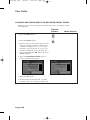
CHANGING THE REMOTE CONTROL ADDRESS
The remote control and receiver can operate on any one of 16 addresses; however, they
must both be on the same address for the remote to control the receiver. This section
explains how to change the address in both devices.
Note: Do not change the address of the remote unless absolutely necessary because the
remote cannot control the receiver if the two devices have different addresses.
Page 3-9
4100_Ch3_eng
6/15/05
8:34 AM
Page 10
User Guide
Remote
Buttons
1. Turn the receiver OFF and press either
CHANNEL UP or DOWN on the front
panel to display the System Information
screen. Note the Remote Address shown
on your TV screen in the screen that looks
like the example shown here.
2. Press and hold the SAT mode button until
all the mode button backlights come on (it
takes about three seconds). Release the SAT
mode button.
3. Use the number buttons to enter a number
from 1 to 15. Write down the new address.
4. Press the POUND button. If the address
you entered is valid for the remote control,
the SAT mode button backlight flashes
three times.
5. Point the remote at the receiver and press
the RECORD button. The Remote
Address on the System Information
screen should match the one you entered.
Note: If the Remote Address does not
change on the System Information
screen, press the RECORD button again.
6. To check the address programmed in the
remote, press and hold the SAT mode
button for three seconds. Then press the
POUND button twice. The SAT mode
button backlight flashes the same number
of times as the address.
7. Press the SELECT button to exit the
System Information screen.
Page 3-10
Menu Options
4100_Ch3_eng
6/15/05
8:34 AM
Page 11
Using The System
Using The Menus
USING THE MENUS
The menus make using the receiver and selecting programs quick and easy. Use the
menus to control the receiver and to use its features, such as setting locks, choosing a
program, or creating a favourites list.
OPEN AND CLOSE MENUS
You can open the menus in either of two ways:
• Press the MENU button to open the Main Menu, then open any of the other menus
from the Main Menu.
• Use the matching buttons on the remote control:
Open the Program Guide.
• When watching a program, open the Themes and Search menu.
Page 3-11
4100_Ch3_eng
6/15/05
8:34 AM
Page 12
User Guide
• Display the Browse Banner.
To close a menu and return to watching a program, press either the VIEW TV or
CANCEL button.
Note: If you do not do anything in a menu for several minutes, the menu
automatically closes. This will discard any changes you made, and display the
program you were watching.
HIGHLIGHTING MENU OPTIONS
To highlight a menu option, use the remote control Arrow buttons to move the onscreen highlight to the menu option. When you do move the on-screen highlight,
the option becomes amber. The highlight is like the one that you may have seen on
a computer screen.
SELECTING MENU OPTIONS
When you select a menu option, that option takes effect right away. You can select a
menu option in either of two ways:
• If the option has a number next to it, press the number on the
number pad button that matches this number. When you use the
number pad button, you do not need to highlight the option first.
• Move the highlight to the menu option using the remote control
Arrow buttons. Then press the remote control SELECT button. In
the example above, Sports is highlighted.
Page 3-12
4100_Ch3_eng
6/15/05
8:34 AM
Page 13
Using The System
Using The Menus
LIST OF CHOICES IN THE MENUS
When you make a choice in a list, the receiver does not apply the change until you select
the Save, Done or OK option. If you do not want to save any changes, select the
Cancel option to discard all the changes made in the menu.
There are two types of lists:
• A single choice list allows you to select only one choice at a time.
If you select another choice, your previous choice is deselected.
• A multiple choice list allows you to select more than one choice at
one time. If you select another choice, your previous choice(s)
stays selected.
HIGHLIGHTING A CHOICE IN A MENU LIST
Use the remote control Arrow buttons to move the highlight to the desired item in the
list. The black arrows on the list show where you can move the highlight.
SELECTING A CHOICE IN A MENU
To select a choice in a list, highlight the choice and then press the remote control
SELECT button. If available, make sure you select the Save, Done or OK option to
save your choice. Select the Cancel option to discard your choice.
Page 3-13
4100_Ch3_eng
6/15/05
8:34 AM
Page 14
User Guide
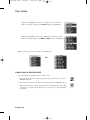
When you highlight a choice in a single choice list, it looks
like this. In this example, the French option is highlighted.
When you highlight a choice in a multiple choice list, it looks
like this. In this example, the BBC-C 498 option is highlighted.
When you select a choice in a list, it looks like this:
OR
CANCELING A PROCEDURE
You can cancel a procedure in any of three ways:
• If you want to return to watching a program, press the remote control
VIEW TV button.
• If you want to return to the previous menu, press the CANCEL button.
• Wait a few moments and the menu will close automatically, discarding
any changes you have made. If this does not work, you must finish the
procedure.
Page 3-14
4100_Ch3_eng
6/15/05
8:34 AM
Page 15
Using The System
Changing Channels
CHANGING CHANNELS
There are four ways to change channels:
•
•
•
•
Press the UP or DOWN ARROW buttons.
Use the number pad buttons.
Press GUIDE and then select the channel from the Program Guide.
Press BROWSE and then select the channel from the Browse Banner.
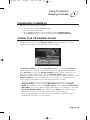
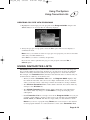
USING THE PROGRAM GUIDE
The on-screen Program Guide provides a complete listing of the available channels
and programs. You can use the Program Guide to change channels, to see what
programs are scheduled, and to buy pay per view programs.
The Program Guide shows which Favourites List is active. If the All Chan list is
active, the Program Guide shows all of the channels available from Bell ExpressVu.
If the All Sub list is active, the Program Guide displays only the channels in your
subscription. When another list is active, the Program Guide displays only the
channels in that list. For more information, see Using Favourites Lists on page 3-19. The
Program Guide shows programs that are on now and that are scheduled up to two
days in advance. The guide does not show programs that have ended.
• This receiver allows you to see the program you are watching in a corner of the
Program Guide. To do this, open the Main Menu. Then, select the System
Setup option. Finally, select in the Guide Display option, select the Partial Guide
With Video option. If you prefer a bigger guide (with no video displayed), select the
Full Guide Without Video option, and select the Done option. When you first
display the inset, there may be a brief delay before a picture appears.
• A red background behind a channel shows that you have not subscribed to that
channel. You cannot tune in to this channel.
Page 3-15
4100_Ch3_eng
6/15/05
8:34 AM
Page 16
User Guide
• The Program Guide shows programs that are on now and that are scheduled up to
two days in advance. The guide does not show programs that have ended.
• You can set up the Program Guide to hide adult channels. See Hiding Adult
Channels on page 3-40.
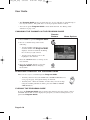
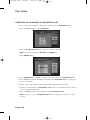
CHANGING THE CHANNEL IN THE PROGRAM GUIDE
Remote
Buttons
Menu Options
1. Press GUIDE to open the Program Guide.
2. Choose a channel using either of the
following:
• Use the number pad buttons to enter the
channel number. The Program Guide
displays a block of channels including
the one that you just entered.
• Use the Arrow buttons to move the
highlight to the channel.
3. Press the SELECT button to change to the
new channel.
4. Press the CANCEL button to close the
Program Guide without changing
the channel.
SCROLLING THROUGH THE PROGRAM GUIDE
There are two ways to scroll through the Program Guide:
• Scroll by channel - Press the PAGE UP or PAGE DOWN button to
scan, page by page, through the listing of channels.
• Scroll by time - Enter the number of hours that you want to skip,
using the number pad buttons. Then, press the LEFT or RIGHT
ARROW button.
CLOSING THE PROGRAM GUIDE
To close the Program Guide and not change the channel, press the remote control
CANCEL button. The receiver displays the program you were watching before you
opened the Program Guide.
Page 3-16
4100_Ch3_eng
6/15/05
8:34 AM
Page 17
Using The System
Displaying Program Information
DISPLAYING PROGRAM INFORMATION
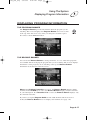
THE PROGRAM BANNER
The Program Banner provides information about the program you are
watching. The receiver displays the Program Banner for a few seconds
at the top of the TV screen every time you change the channel or press
the remote control VIEW TV button.
THE BROWSE BANNER
You can use the Browse Banner to change channels, or to see what other programs
are available without changing the program that you are watching. The receiver displays
information on the program you are watching at the top and Browse Banner
information at the bottom of the TV screen.
Note: If the All Chan Favourite list is active, the Browse Banner displays all the
channels. If the All Sub list is active, the Browse Banner displays only the channels
in your subscription. If a Favourites List is active, the Browse Banner displays only
the channels in that list.
If you have set up the Program Guide to hide adult channels and the receiver is
locked, the Browse Banner does not display such channels. See page 3-40.
Page 3-17
4100_Ch3_eng
6/15/05
8:34 AM
Page 18
User Guide
USING THE BROWSE BANNER
Remote
Buttons
1. Press the BROWSE (Right Arrow) button
to open the Browse Banner.
2. Change the channel displayed on the
Browse Banner by doing one of the
following:
• Enter the channel number for the
program that you want, using the
number pad buttons.
• Press the UP or DOWN ARROW to
display the next channel.
3. Press the RIGHT ARROW button multiple
times to highlight the next programs. Press
the LEFT ARROW button to return to the
current program.
4. Close the Browse Banner by doing
one of the following:
• Press the SELECT button to watch the
program.
• Press the VIEW TV or CANCEL button
to close the Browse Banner without
changing the channel.
Page 3-18
Menu Options
4100_Ch3_eng
6/15/05
8:34 AM
Page 19
Using The System
Using Favourites Lists
ORDERING PAY PER VIEW PROGRAMS
1. Highlight the desired pay per view program in the Program Guide and press the
SELECT button. A message like the following displays:
2. To buy the pay per view program, select the Yes option. The receiver displays a
confirmation menu.
Note: Once you confirm an order for a pay per view program, you cannot cancel the
order and you will be billed for it.
Select Yes if you want to confirm your purchase.
If you do not want to purchase the pay per view program, select the No or
Cancel option.
USING FAVOURITES LISTS
Favourites Lists are lists of your favourite channels. You can create and change the
lists yourself, adding and removing channels as you wish. You can have an unlimited
number of favourite channels but they must be grouped into no more than four lists.
For example, one Favourites List could have 100 channels and a second list only 10.
Or all four lists could have 50 channels each.
• When you make a Favourites List active, the Program Guide displays only
the channels in that list. Also, the receiver skips channels that are not on the list
when you use the remote control Up or Down arrow button to change channels.
• The All Chan Favourites List contains all the channels. You cannot make any
changes to the All Chan list.
• The All Sub Favourites List contains all the channels in your subscription.
You cannot make any changes to the All Sub list, except by changing your
subscription.
• Each Favourites List has a unique colour in the Program Guide. You can give
each list a name. When you first get the receiver, the four lists are named List 1,
List 2, List 3, and List 4. The lists are empty until you add channels to them.
Note: If you choose a program using Theme, the receiver tunes to the channel
for that program whether or not that channel is on the active Favourites List.
Page 3-19
4100_Ch3_eng
6/15/05
8:34 AM
Page 20
User Guide
CREATING OR CHANGING A FAVOURITES LIST
You can create, add channels to, and remove channels from a Favourites List.
1. Press the MENU and 7 to open Favourites.
2. Select the Favourites List that you want to create or change.
Note: You cannot modify the All Chan or All Sub lists.
3. Select Modify List.
4. In the Channels list, highlight a channel you want to add to the Favourites List.
5. Press SELECT to add the highlighted channel to the Favourites List. A dot appears
next to the channel.
6. Repeat steps 4 and 5 until you have added all the channels that you want.
7. To delete a channel from the Favourites Lists, select the channel in the list. The dot
next to the channel disappears.
8. Select the Save option to save all changes to the Favourites List.
Note: If you try to save a Favourites List with no channels, you will see an error
message.
Page 3-20
4100_Ch3_eng
6/15/05
8:34 AM
Page 21
Using The System
Using Favourites Lists
NAMING A FAVOURITES LIST
1. Press MENU and 7 to open Favourites.
2. Select the Favourites List that you want to change.
3. Select the Edit Name option.
Note: You cannot change the name of the All Chan or All Sub list.
4. Enter the list’s name by doing one of the following:
• Use the on-screen virtual keyboard to type the list’s name.
• Use the remote control number pad to enter the letters in the Enter Name box.
Numbers 2 through 9 have telephone-style numbers written above them. To enter
an H, for example, press 4 twice because H is the second letter listed above the 4
on the number pad.
• You can enter up to eight characters, including spaces. If needed, select the space
option to insert a space in the name or the Back option to correct a letter.
Note: A list must have at least one character. Two lists cannot have the same name.
Note: At any time, you can select the Clear option to clear the name.
5. Select the Done option to save all changes.
MAKING A FAVOURITES LIST ACTIVE
If the Program Guide is open, press the GUIDE button to select the next Favourites
List. Press the GUIDE button repeatedly to scan through all the available lists.
Note: This works only if you have added channels to the Favourites List. If you have
not created any Favourites List, pressing the GUIDE button switches the receiver
between the All Chan and All Sub.
Page 3-21
4100_Ch3_eng
6/15/05
8:34 AM
Page 22
User Guide
USING TIMERS
Event timers let you set up the receiver to tune in future programs and/or record them on
a VCR. An “event” is a program, sports event, pay per view movie, or anything else on
satellite TV.
• You can set an automatic event timer for a program listed with start and stop
times in the Program Guide. This can be a program that comes on each day or
each week.
• A manual event timer lets you set custom start and stop times for a timer.
Note: If you want to have the Event Timer record to a VCR, you must set up the
receiver to control the VCR (see page 3-28).
EVENT TIMER TYPES
Reminder - Reminds you that a program is about to start.
Auto-Tune - Reminds you that a program is about to start and tunes the receiver to the
program when it begins.
VCR - Reminds you that a program is about to start, tunes the receiver to the program
when it begins, and starts your VCR.
Note: You can record only the program to which the receiver is tuned. If you open any
menu while recording a program on videotape, the menu also will be recorded. If a
program time changes by more than twenty-four hours, the timer will not operate.
EVENT TIMER FREQUENCY
Once - Applies to a one-time program. If the program time changes, this timer operates
at the new time. The receiver deletes this timer when the timer operates.
Mon.-Fri. - Applies to a program that is scheduled for Monday through Friday on the
same channel at the same time each day.
Daily - Applies to a program that is scheduled for Monday through Sunday on the same
channel at the same time each day.
Weekly - Applies to a program that is scheduled for once a week on the same channel at
the same time on the same day.
BEFORE AN EVENT TIMER OPERATES
Two minutes before an event timer operates, the receiver displays a small clock on the
TV screen. This clock disappears when the program begins. While the clock is
displayed, you may do either one of the following:
• Press the CANCEL button to clear the symbol from the TV screen.
This does not affect the timer; it will operate.
• Press the INFO button to see more information on the event timer. If
you do this, you will have the following choices:
• Select the OK or Cancel option to continue with the event timer.
• Select the Stop Timer or No option to stop the event timer.
Page 3-22
4100_Ch3_eng
6/15/05
8:34 AM
Page 23
Using The System
Using Timers
Note: This stops only this instance of a Mon.-Fri., Daily or Weekly timer.
The timer will operate the next time it is scheduled. To stop all operations of such a
timer, you must delete the timer. For a Reminder Event Timer, instead of having
the option to stop the timer, you have the option to tune to the program.
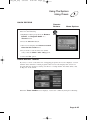
SETTING UP AN AUTOMATIC EVENT TIMER
Remote
Buttons
Menu Options
1. Select a future program using the Browse
Banner, Themes menu or the Program
Guide. Then Press SELECT. One of the
following Create Timer screens display:
2. Select a Timer Frequency option.
Notice that a mark displays in the box.
3. Select a Timer Type.
4. Select the Create option to save the event
timer.
5. The receiver displays a timer symbol in the
Program Guide.
Page 3-23
4100_Ch3_eng
6/15/05
8:34 AM
Page 24
User Guide
SETTING UP A MANUAL EVENT TIMER
1. Press the MENU button.
2. Select the Timers option.
3. Select the Create option. The receiver displays the Create a Manual
Event Timer menu.
4. Select a Timer Type option.
5. Select a Timer Frequency option.
6. Select a channel by doing one of the following:
• Highlight a channel using the Up or Down arrow button. Then, press the
SELECT button.
• Enter a channel number using the number pad buttons. Then press the
SELECT button.
7. Select the Set Date/Time option. The receiver displays the Set Date/Time for
Manual Timer menu.
8. Use the number pad buttons to enter the Start Time (this includes selecting
AM or PM) and the End Time, (this includes selecting AM or PM).
9. Use the number pad buttons to enter the Date.
Note: The arrow buttons can also be used to set the time and date. If an illegal setting
is entered in the start time, end time or date boxes “??.??” is displayed when you try
to move to another box. Use the LEFT & RIGHT arrow buttons to select the incorrect
digits and use the number pads to correct the time or date.
10.Select the Create Timer option.
11.To create another event timer, do one of the following:
• Select the Create option again.
• If you do not want to create another event timer, press the CANCEL button.
Note: You cannot set a manual event timer for a pay per view event.
Page 3-24
4100_Ch3_eng
6/15/05
8:34 AM
Page 25
Using The System
Using Timers
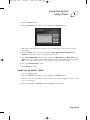
QUICK RECORD
Remote
Buttons
Menu Options
You can quickly create a one-time VCR Event
Timer. Do the following.
1. Highlight a future program in the Browse
Banner, the Program Guide or a
Themes menu.
2. Press the RECORD button.
3. The receiver displays the Create a record
timer for this event menu.
4. If you want to start the timer one minute
early, select the Start 1 min. early option.
5. Select the Yes option.
OVERLAPPING TIMERS
If you try to create event timers for overlapping programs, the receiver displays a screen
with the dates and times of both programs. The receiver also displays this screen if a
program time has changed, causing one timer to overlap another. You must delete, edit,
or skip one of the timers.
When the Timer Conflict screen displays, resolve the conflict by doing the following:
Page 3-25
4100_Ch3_eng
6/15/05
8:34 AM
Page 26
User Guide
1. Select one of the timers. The Timer Conflict Resolution screen displays.
2. When the Timer Conflict Resolution displays, select one of the following choices:
• Delete This Timer - Removes the timer completely.
• Edit This Timer - You can edit the timer to resolve the conflict.
MAXIMUM NUMBER OF EVENT TIMERS
You can create a limited number of event timers. If you try to create more, the receiver
displays a menu giving you the option to delete an existing timer. If you do not delete an
existing timer, you will not be able to create any new ones.
REVIEWING AND EDITING EVENT TIMERS
You can review and edit both automatic and manual event timers. If you need to change
an event timer, you can edit almost any feature of an event timer.
Note: If you edit an automatic timer, it becomes a manual timer. The manual event
timer operates at the times you set, not the actual program times.
Page 3-26
4100_Ch3_eng
6/15/05
8:34 AM
Page 27
Using The System
Using Timers
1. Press the MENU button.
2. Select the Timers option. The receiver displays the Timers menu.
3. Select the event timer that you want to edit. A mark appears in the box next to the
event timer.
4. Select the Edit option. You may change the Timer Type, Timer Frequency, or
Channel. To do this, select each option that you want.
5. Select Set Date/Time. If you want to change the Start Time, the End Time or the
Date use the arrow keys to select and change the times (this includes selecting AM or
PM) or date. The number pad can also be used to change the time or date.
6. Select the Create Timer option.
7. Select Cancel to exit.
DELETING AN EVENT TIMER
1. Press the MENU button.
2. Select the Timers option. The receiver displays the Timers menu.
3. Select an event timer(s) that you want to delete. A check mark appears in the box next
to the event timer(s).
4. Move the highlight to Delete and press SELECT on the remote.
Page 3-27
4100_Ch3_eng
6/15/05
8:34 AM
Page 28
User Guide
SPECIAL CONSIDERATIONS WHEN USING EVENT TIMERS
• For Locked Programs - You must enter the receiver password before you can
create an automatic event timer. You can create a manual event timer for a locked
program without entering the password. However, if you do this, when the event timer
operates the receiver may display only an error or password entry menu. If you have
set a VCR Event Timer, the VCR will record only that menu or may not record at all.
• For Pay Per View Programs - You must order a pay per view program before you
can create a timer for it.
• For Blacked Out Programs - If you set a timer for a program that is blacked out
in your area, when the event timer operates the receiver may display only an error. If
you have set a VCR Event Timer, the VCR will record only that menu or may not
record at all.
EVENT TIMER PERFORMANCE WHEN THE RECEIVER IS OFF
If the receiver is OFF at the time an Auto-Tune or VCR Event Timer is scheduled to
operate, the receiver will turn ON. Once the event has ended, the receiver will turn OFF,
unless you pressed any remote control or receiver front panel buttons during the time
that the timer was active.
If the receiver is OFF at the time a Reminder Event Timer is scheduled to operate, the
timer will turn the receiver ON and tune it to the channel you last watched. The receiver
will then display the reminder menu. You will have a few seconds to respond. If you do
not respond to the reminder menu, the receiver will turn OFF.
SETTING UP THE RECEIVER TO CONTROL A VCR
To use VCR Timers, connect the receiver back panel outputs to the audio/video inputs on
the VCR (see your VCR user’s guide for instructions). Before you can use VCR Timers,
you must set up the receiver to control the VCR. If the receiver cannot control the VCR,
use an Auto-Tune Timer to tune the receiver to the channel you want to record. Use the
timers built into the VCR to start and stop the VCR at the right times.
The receiver transmits an IR signal from the front panel to control the VCR. This signal
is much stronger than the signal the remote uses, so it can bounce off walls or other
objects on its way to the VCR. This works in most home setups. However, shelves or
smoked glass doors between the receiver front and the VCR may block the signal. Also,
if the signal must cross a very large room, or bounce off curtains, it may not be strong
enough to control the VCR. Make sure that nothing blocks the signal, and that the signal
can bounce off relatively nearby, light-coloured, smooth surfaces.
Page 3-28
4100_Ch3_eng
6/15/05
8:34 AM
Page 29
Using The System
Using Timers
To set up receiver to control a VCR:
1. Press the MENU button.
2. Select the System Setup option.
3. Select the Installation option.
4. Select the VCR Setup option.
5. Set the VCR code by doing one of the following:
• Enter the 3-digit VCR code number, from the tables starting on page 4-11, using
the number pad buttons.
• Highlight each digit of the VCR code, and then press the Up or Down arrow button
until you reach the correct number and then press SELECT.
6. Make sure the VCR is connected to either the receiver phono audio/video outputs or
the TV Set Out Connection.
7. Make sure the VCR is turned on. Insert a rewound tape on which you want to record.
Note: The receiver only starts and stops the VCR recording, but does not turn ON the
VCR, so you must do this yourself.
8. To test the new code, highlight the Test option. The receiver displays a message
warning you to make sure the VCR is turned ON.
9. Press the SELECT button to start the test. Your VCR records for a few seconds, stops,
and then rewinds. The receiver displays a message saying that your VCR test is
complete. Follow the instructions on the message. If your VCR did not do the test,
enter another code from the table. Repeat step 8 and this step.
10.Once you have found the correct VCR code, select the Done option to save the VCR
code you entered and return to the Installation and Setup menu.
Page 3-29
4100_Ch3_eng
6/15/05
8:34 AM
Page 30
User Guide
SETTING UP A VCR FOR VCR TIMERS
After you have properly set up the receiver to control the VCR during VCR timers,
complete the following to set up the VCR to operate when you set a VCR timer.
1. Turn the VCR on. Make sure you keep the VCR on because the receiver cannot turn
the VCR on for you.
2. Insert a tape. A blank, rewound tape makes the best recording.
3. If you need to change the VCR settings (tape length or channel), see the instructions
that came with your VCR.
USING THEMES AND SEARCH
The Themes and Search feature of your receiver makes it easy to find programs to
watch. This menu allows you to search for programming by themes (movies, sports, etc.)
or by key words used in the program information.
THEMES
You can list and choose programs by the theme of their contents, for example, just
movies or just sports. You can then quickly list programs based on that theme, and
choose the program you want.
Remote
Buttons
1. Open the Themes and Search menu by
doing one of the following:
• While watching a program, press the
LEFT ARROW button.
• Press the MENU button and then select
Themes and Search option.
2. Select the option for a category.
3. Select the desired program in the
program list.
Note: If the program you highlighted is on
some time in the future, the receiver will
open the Create An Event Timer menu.
See Using Timers on page 3-22 for more
information.
Page 3-30
Menu Options
4100_Ch3_eng
6/15/05
8:34 AM
Page 31
Using The System
Using Themes and Search
SEARCH
Remote
Buttons
Menu Options
1. Open the Search screen by doing one of
the following:
• Press the Pound (#) button on the
remote control.
• While watching a program, press the
LEFT ARROW button to display the
Themes and Search menu. Then
select Search.
• Press the MENU button, and then select
the Themes option to display the
Themes and Search menu.
Then select Search.
2. The Search screen displays with a virtual
keyboard.
3. You can search for events two ways:
• Select Title to search for the words that
appear in the title of a program.
• Select Info to search for words that are
in the program description.
4. Enter the information in that space
provided in one of two ways:
• Use the on-screen virtual keyboard
to type the information in the
space provided.
• Use the letters above the number pad
buttons while in the Search menu. For
example, when looking for the channel
and times to watch Rudy Fremmel
Presents, you press 7 three times for an
R, 8 two times for a U, 3 one time for a
D, and 9 three times for a Y to spell the
word “Rudy.”
5. Select Search.
Page 3-31
4100_Ch3_eng
6/15/05
8:34 AM
Page 32
User Guide
6. When the receiver displays the Search Results you have the following options:
• Use the UP and DOWN ARROW buttons to scroll through the results.
• Use the PAGE UP and PAGE DOWN buttons to scroll a page at a time.
• Select Page Up or Page Down to scroll a page at a time.
7. Select one of the programs to watch, or select Cancel to close the Search
Results screen.
Note: If you select a program that is on now, the receiver tunes to that program.
If you select a program that is on in the future, you will have to set a timer.
See page 3-22 for more information on event timers.
Page 3-32
4100_Ch3_eng
6/15/05
8:34 AM
Page 33
Using The System
Using Locks
USING LOCKS
When you unlock programming delivered to your in-home cabling system,
you are allowing all TVs connected to your in-home cabling system to have
access to this programming. In this case, you must rely on the V-Chip
technology and settings in the individual TVs to prevent viewing of
inappropriate programming. Consult your TV user’s guides for instructions
to set up V-Chip protection.
HOW TO SET LOCKS: A TWO STEP PROCESS
1. Create the locks that you want.
2. Lock the receiver.
When the receiver is locked, anyone who wants to access locked items must enter
the password.
WHEN YOU HAVE LOCKED THE RECEIVER
• If you try to access a locked item or open the Locks menu, the receiver displays a
message prompting you to enter the password.
• The receiver allows you three tries to enter the correct password. If you fail to enter
the correct password, the receiver does not allow more tries for several minutes.
• If you enter the correct password, you can access the locked item or open the
Locks menu.
• If you exit a locked item or close the Locks menu, you must enter the password to
access the item.
CREATING A PASSWORD
You must lock the receiver for any receiver Locks you set to take effect. To lock the
receiver, you must first create a password. If you forget your password, you will need to
call the Customer Service Center.
Page 3-33
4100_Ch3_eng
6/15/05
8:34 AM
Page 34
User Guide
To create a password:
Remote
Buttons
Menu Options
1. Press the MENU button to display the
Main menu.
2. Select the Locks option to display the
Locks menu.
Note: If the receiver displays a message
prompting you to enter a password, the
receiver has already been locked.
3. Select the Lock System option.
The receiver displays a message prompting
you to enter a password.
Note: If this option appears as Unlock
System instead, the receiver is already
locked.
4. Enter and verify a password, using the
number pad buttons. The receiver displays
stars (*) as you enter the digits of the
password.
5. Memorize your password. From now on,
you must enter this password to lock or
unlock the receiver.
6. Highlight and select the OK option.
Re-enter the password. All the locks you
have set are now in effect.
LOCKING AND UNLOCKING THE RECEIVER
You must lock the receiver for any receiver Locks you set to take effect. To lock the
receiver, you must first create a password. If you forget your password, you will need to
speak with a Customer Service Representative. If you have a Personal Identification
Number (PIN), you will need to give it to the Customer Service Representative.
See page 3-42 for information on PINs.
Page 3-34
4100_Ch3_eng
6/15/05
8:34 AM
Page 35
Using The System
Using Locks
Remote
Buttons
Menu Options
1. Press the MENU button to display the
Main Menu.
2. Select the Locks option to display the
Locks menu.
Note: If the receiver displays a message
prompting you to enter a password, the
receiver has already been locked.
3. Select the Lock System or Unlock
System option. The receiver displays a
message prompting you to enter a password
to lock the system.
4. Enter and verify a password, using the
number pad buttons. The receiver continues
to display stars (*) as you enter the digits of
the password. As soon as you enter the
fourth digit of the password, the receiver
highlights the OK button. Press SELECT.
5. Memorize your password. From now on,
you must enter this password to lock or
unlock the receiver.
6. Select the OK option. Confirm the
password by re-entering it. All the locks
you have set are now in effect.
Page 3-35
4100_Ch3_eng
6/15/05
8:34 AM
Page 36
User Guide
CREATING OR CHANGING RATING (CONTENT) CODE LOCKS
Remote
Buttons
Menu Options
1. Press the MENU button.
2. Select the Locks option.
3. If the receiver is locked, enter the password
using the number pad buttons. The receiver
continues to display stars (*) as you enter
the digits of the password. As soon as you
enter the fourth digit of the password, the
receiver highlights the OK option. Press the
SELECT button.
4. Select the Ratings Locks option.
5. Highlight the rating that corresponds to the
lowest unacceptable audience age. Press the
SELECT button to lock the highlighted rating.
Note: All ratings that are more restrictive
than the selected rating are also selected.
For example, if you lock PG-14 rated
programs, then all programs with the R,
NC-17, and NR/AO ratings are also locked.
6. Select the expanded rating code(s), if you
want to also lock these ratings.
7. To unlock a rating code, highlight the code
and press SELECT.
8. Select the Done option to save the
changes.
9. If the receiver is not locked, you must lock
it to put the locks you just created into
effect by selecting Lock System.
Page 3-36
4100_Ch3_eng
6/15/05
8:34 AM
Page 37
Using The System
Using Locks
CREATING OR CHANGING CHANNEL LOCKS
You can lock any channel, including pay per view channels.
Remote
Buttons
Menu Options
1. Press the MENU button.
2. Select the Locks option.
3. If the receiver is locked, enter the password
using the number pad buttons. The receiver
continues to display stars (*) as you enter
the digits of the password. As soon as you
enter the fourth digit of the password, the
receiver highlights the OK option. Press the
SELECT button.
4. Select the Channel Locks option.
5. Highlight the channel that you want to lock.
If necessary, press the Up or Down arrow
button to see the channel. You can also
enter each channel number using the
number pad buttons.
6. Press the SELECT button to lock or unlock
the highlighted channel. If the box next to
the channel has a mark, the channel is
locked.
7. Select the Done option to save the
changes.
8. If the receiver is not already locked, you
must lock it to put the locks you just
created into effect by selecting
Lock System.
Page 3-37
4100_Ch3_eng
6/15/05
8:34 AM
Page 38
User Guide
LOCKING AND UNLOCKING THE RECEIVER FRONT PANEL
This keeps anyone from changing the channel, but it does not lock the remote
control buttons.
Remote
Buttons
1. Press the MENU button.
2. Select the Locks option.
3. If the receiver is locked, enter the password
using the number pad buttons. The receiver
continues to display stars (*) as you enter
the digits of the password. As soon as you
enter the fourth digit of the password, the
receiver highlights the OK option. Press the
SELECT button.
4. Select the Front Panel Lock option to
lock or unlock the front panel.
5. Select the Yes option.
6. To activate the front panel lock, you must
lock the receiver by selecting Lock System.
Page 3-38
Menu Options
4100_Ch3_eng
6/15/05
8:34 AM
Page 39
Using The System
Using Locks
LOCKING AND UNLOCKING PAY PER VIEW CHANNELS
This locks all pay per view channels. You also can lock one or more pay per view
channels by using channel locks or rating locks.
Remote
Buttons
Menu Options
1. Press the MENU button.
2. Select the Locks option.
3. If the receiver is locked, enter the password
using the number pad buttons. The receiver
continues to display stars (*) as you enter
the digits of the password. As soon as you
enter the fourth digit of the password, the
receiver highlights the OK option. Press the
SELECT button.
4. Select the Lock PPV or Unlock PPV
option.
5. If the receiver is not locked, you must lock
it to put the lock you just created into effect
by selecting Lock System.
Page 3-39
4100_Ch3_eng
6/15/05
8:34 AM
Page 40
User Guide
HIDING AND SHOWING ADULT CHANNELS
When you hide adult channels, you keep the Program Guide, Themes lists, and the
Browse Banner from displaying adult channels. It also keeps anyone from choosing
such channels by using the Up or Down arrow buttons or the remote control number
pad buttons.
Remote
Buttons
Menu Options
CHANGING THE RECEIVER PASSWORD
Remote
Buttons
Menu Options
1. Press the MENU button.
2. Select the Locks option.
3. If the receiver is locked, enter the password
using the number pad buttons. The receiver
continues to display stars (*) as you enter
the digits of the password. As soon as you
enter the fourth digit of the password, the
receiver highlights the OK option. Press the
SELECT button.
4. Select the Hide Adult or Show Adult
option.
5. If the receiver is not locked, you must lock
it to put the lock you just created into effect
by selecting Lock System.
1. Press the MENU button.
2. Select the Locks option.
If the receiver is locked, enter the password
using the number pad buttons. The receiver
continues to display stars (*) as you enter
the digits of the password. As soon as you
enter the fourth digit of the password, the
receiver highlights the OK option.
3. Press the SELECT button.
Page 3-40
4100_Ch3_eng
6/15/05
8:34 AM
Page 41
Using The System
Using Locks
4. Select the Change Password option.
5. Enter the current password using the
number pad buttons. As soon as you enter
the fourth digit of the password, the
receiver highlights the OK option. Press the
SELECT button.
6 Enter the new password using the number
pad buttons. As soon as you enter the fourth
digit of the password, the receiver
highlights the OK option. Select the OK
option to change the password.
7. Enter the new password again for
confirmation, using the number pad buttons.
The receiver continues to display stars (*)
as you enter the digits of the password. As
soon as you enter the fourth digit of the
password, the receiver highlights the OK
option. Press the Select button.
8. Memorize the new password. From now on,
you must enter this password to lock or
unlock the receiver.
Page 3-41
4100_Ch3_eng
6/15/05
8:34 AM
Page 42
User Guide
PERSONAL IDENTIFICATION NUMBER
You can set up a Personal Identification Number (PIN) for call-in requests only. Anyone
calling the Customer Service Center must provide this PIN to make any changes to your
account. You may call the Customer Service Center at any time to set up a PIN.
If you forget your PIN, you will need to speak with a Customer Service Representative.
The representative may ask for more information to make sure that you are authorized to
make changes to your account.
USING CALLER ID
Caller ID displays on your TV the names of people as they call you if you subscribe to
Caller ID from your local phone company. To use this feature, make sure you have a
phone line connected to the receiver and that the Caller ID feature is enabled. After you
turn on Caller ID, it stays on until you decide to turn it off.
CALLER ID SCREENS
When you receive a call, you will see a Caller ID popup screen.
You can select OK to eliminate the message. If you do nothing, it will disappear after
20 seconds.
If you are in a menu when a call comes in, you will see a different Caller ID
popup screen.
Page 3-42
4100_Ch3_eng
6/15/05
8:34 AM
Page 43
Using The System
Resetting To Factory Default Settings
TURNING CALLER ID ON AND OFF
Remote
Buttons
Menu Options
1. Press MENU on the remote control.
2. Select System Setup.
3. Select Installation.
4. Select Caller ID.
5. Select Enable Caller ID or select Disable Caller ID.
6. Select Done.
RESETTING TO FACTORY DEFAULT SETTINGS
Note: Resetting the receiver to factory default settings discards all Favourite Lists
except the All Chan and All Sub lists.
Note: If you have set any locks on the receiver, and the receiver is locked, these locks
will be kept. If the receiver is unlocked, any such locks will be lost; however, you cannot
reset the receiver to factory default settings to bypass a lock or to discard a password
you have forgotten. Call the Customer Service Center if you have forgotten your
password.
Complete the following instructions if you want to reset the receiver to be the same as
when it was shipped from the factory.
Page 3-43
4100_Ch3_eng
6/15/05
8:34 AM
Page 44
User Guide
Remote
Buttons
Menu Options
1. Press the MENU button.
2. Select the System Setup option.
3. Select the Factory Defaults option. When
the receiver displays a Warning message,
confirm that you want to reset the receiver
to factory default settings.
Note: To get out of the Factory Defaults
Help option press SELECT or CANCEL.
CHANGING PROGRAM LANGUAGES
You may be able to change the language of some programs. An alternate language may
not be available for all programs. Some programs, such as movies, show at the start
whether an alternate language is available. An alternate language applies only to the
audio part of a program and does not change the language used in the menus displayed
by the receiver.
Remote
Buttons
1. Press the MENU button.
2. Select the System Setup option.
3. Select the Alternate Audio option.
4. Select the language you want in the
Languages list.
5. Select the Done option to save your
language choice. The receiver displays the
System Setup menu.
Page 3-44
Menu Options
4100_Ch3_eng
6/15/05
8:34 AM
Page 45
Using The System
Using Dolby® Surround Sound
USING DOLBY® SURROUND SOUND
Dolby Digital gives you the capability to enjoy programs in surround sound. An external
decoder is required to enjoy this feature. Refer to your decoder user’s guide.
Note: Not all programs contain a Dolby Digital sound track.
The receiver uses an optical port for outputting digital audio. The optical output can
provide two audio data types: Dolby Digital and Linear PCM (only Dolby Digital can
provide full 5.1-channel sound).
Remote
Buttons
Menu Options
1. Connect an external Dolby Digital decoder
to the receiver's back panel Digital Audio
Output using an optical cable (available at
consumer electronics stores).
2. Press MENU, select System Setup (6),
and then Dolby Digital (7) to open the
Dolby Digital Setup screen.
3. Select one of the following optical output
options:
• Dolby Digital Only - Select this option
if the stereo system or amplifier can
decode only Dolby Digital and will not
process Linear PCM signals. See your
amplifier's owner's manual for more
details on the amplifier (and see the
following table).
• PCM Only - Select this option only if
the stereo system or amplifier cannot
decode Dolby Digital signals.
• Dolby Digital/PCM - Select this option only if the stereo system or amplifier can
decode both Dolby Digital and Linear PCM signals.
Page 3-45
4100_Ch3_eng
6/15/05
8:34 AM
Page 46
User Guide
The audio output is also dependent on what is
present in the program you are watching.
The table below shows what type of output
you will hear:
Signal Present in Program
Optical Output
Setting
Dolby
Digital
Dolby Digital
Only
PCM
Both
Dolby
Digital
PCM
Dolby
Digital
PCM Only
PCM
(downmix)
PCM
PCM
Dolby
Digital/PCM
Dolby
Digital
PCM
Dolby
Digital
Note: When both audio signals are present in
the program, the receiver defaults to Dolby
Digital output unless you have selected PCM
Only.
Note: If you have selected Dolby Digital
Only but there is only PCM audio in the
program, you will hear nothing. This also
applies to the analog audio outputs.
4. Select Save.
Page 3-46
4100_Ch3_eng
6/15/05
8:34 AM
Page 47
Using The System
Changing The Program Guide Order
CHANGING THE PROGRAM GUIDE ORDER
You can set up the Program Guide to list channels in descending order, with the highest
channel number at the top, or in ascending order, with the highest channel number at
the bottom.
Note: If you do not set a channel order, the Program Guide lists the channels in
descending order.
Remote
Buttons
Menu Options
1. Press the MENU button
2. Select the System Setup option
3. Select the Channel Order option
4. Select Ascending or Descending
5. Select the Save option to record your
choice.
Page 3-47
4100_Ch3_eng
6/15/05
8:34 AM
Page 48
User Guide
CONTROL OTHER DEVICES WITH THE
REMOTE CONTROLS
This section describes how to use the Remote Control to control a TV, a VCR, or other
devices. For information on how to use the remote to control the receiver, see Using the
Remote Controls on page 3-2. You can set up both remote controls to control the satellite
TV receiver and up to three other devices each.
These devices can be a TV, a VCR or DVD player, or another listed device.
REMOTE CONTROL MODES
You can set the remote to four different modes to control the receiver or other devices.
When you get the remote it’s already set up to control the receiver. You must set up the
remote to control a device like a TV or a VCR. See Set Up the Remote to Control Other
Devices, below.
Use the remote control’s mode buttons, SAT (satellite receiver), TV (for a TV), VCR (for
a VCR or a DVD player), and Aux (“auxiliary,” for a second TV, a second VCR, a tuner,
or an audio amplifier) to set the remote to the right mode for the device. To change the
mode, press the button for the device you want the remote to control. The mode button
lights for two seconds to show you’ve set the remote to that mode.
LIMITED MODE
You can program your remote control in limited mode to keep from accidentally
changing the channel on your TV or VCR. When you use the remote to control your TV
in limited mode, you will only be able to use the Power, Mute, and Volume buttons.
Also, when you use the remote to control your VCR in limited mode, you will only be
able to use the power and VCR function buttons. The section Setting Up the Remote to
Control Other Devices has a step that tells the remote control to go into limited mode.
Note: You can use Limited Mode for TV and VCR codes programmed in AUX mode.
SET UP THE REMOTES TO CONTROL OTHER DEVICES
Over the next few pages we tell you how to use the remote to control a TV, a VCR, a
DVD player, a tuner, or an amplifier.
To use the remote to control other devices, you must first program it to control these
other devices. You can do this by either following the instructions in Set Up the Remote
Control below, or the Scan for Device Codes procedure described on page 3-50.
If you are programming the remote to control a combination device, such as a TV/VCR
or a VCR/DVD, program the remote control in one mode, and then repeat the procedure
in the other mode. For example, to program the remote to control a TV/VCR using code
748: Follow the instructions to program the remote to control the TV using code 748,
and then repeat the instructions for the VCR using the same code.
Page 3-48
4100_Ch3_eng
6/15/05
8:34 AM
Page 49
Using The System
Control Other Devices With The Remote Controls
SET UP THE REMOTE CONTROL
1. Turn the device on.
Use the device’s front panel buttons or its remote control.
2. Find the brand name of the device in the tables starting on page 4-11.
If the brand isn’t listed, see Scan for Device Codes on page 3-50.
3. Press and hold the mode button until all the other mode buttons light up, and then let
go of the button. The mode button flashes.
For example, hold the TV mode button for a TV until all of the other mode buttons
light. When you let go, the TV mode light will flash.
If you are repeating this procedure to program a combination device, be sure to press
the correct mode button (for example, if you have a TV/VCR combination and you
have already programmed the remote to control the TV, press and hold the VCR mode
button as described above).
If no button is pressed, after a few seconds the mode button stops flashing and the
remote control reverts to normal operation.
4. For Aux mode only:
• Press 0 for a second TV.
• Press 1 for a second VCR or DVD player.
• Press 2 - for a tuner or amplifier.
This step is for programming which kind of device that should be programmed in Aux
mode. If you’re not programming in Aux mode, skip to step 5.
5. Enter one of the three-digit device codes from the table using the number buttons.
The three-digit device code should be for the brand name of your device that you
found in step 2.
6. If you want to program limited mode, press 1. If not, skip to step 7.
See Limited Mode for more information.
7. Press the Pound (#) button.
If you entered the code correctly, the mode button flashes three times.
8. Press the blank Power button to turn off the device. If the device does not turn off,
go to step 10.
If the code works, the device should turn off.
9. Turn the device back on and try some other appropriate buttons to make sure they
work. If the code works for other buttons, stop here.
Sometimes the blank Power button works when other buttons don’t.
10. If the code doesn’t work, redo steps 3 through 9 with another device code from
the tables.
Try every code listed for the brand until one works for your device.
11. If you can’t find a code that works try Scan for Device Codes that follows.
Page 3-49
4100_Ch3_eng
6/15/05
8:34 AM
Page 50
User Guide
SCAN FOR DEVICE CODES
If the code for your device is not listed in the tables starting on page 4-11, use this
procedure to scan the remote control’s memory for the device code.
1. Turn the device on.
Use the device’s front panel buttons or its remote control.
2. Press and hold the mode button until all the other mode buttons light up, and then let
go of the button.
The mode button flashes.
For example, hold the TV mode button for a TV until all of the other mode buttons
light. When you let go, the TV mode light will flash.
3. For Aux mode only:
• Press 0 for a second TV.
• Press 1 for a second VCR or DVD player.
• Press 2 - for a tuner or amplifier.
This step is for programming which kind of device that should be programmed in Aux
mode. If you’re not programming in Aux mode, skip to step 4.
4. For Aux mode only: Press the Star (*) button.
5. Press the blank Power button.
This puts your remote in the scan mode.
6. Press the up or down arrow button repeatedly until the device turns off.
As you press the up or down arrow button, the remote is trying each code in the
memory to see if it can turn off your device. When the device turns off, you have
found a code that might work.
Note: The mode button for the device will flash rapidly eight times when you’ve
scanned all the codes for that device.
7. Press the Pound (#) button.
This stores the code you found.
8. Turn the device back on and try some other appropriate buttons to make sure
they work.
Press the blank Power button to turn the device back on. Try some other buttons
to make sure they work. Sometimes, the blank Power button works when other
buttons don’t.
9. Repeat this procedure until you’ve tried all the codes.
You may need to repeat the scan to find the best code for your device.
Page 3-50
4100_Ch3_eng
6/15/05
8:34 AM
Page 51
Using The System
Control Other Devices With The Remote Controls
CHECK THE DEVICE CODES
You can find out what device code you’ve set for each remote control mode.
1. Press and hold the mode button until all the other mode buttons light up, and then let
go of the button.
The mode button flashes.
For example, hold the TV mode button for a TV until all of the other mode buttons
light. When you let go, the TV mode light will flash.
2. Press the Pound (#) button twice.
Watch the mode light to determine your code. The mode button flashes the number for
each digit of the device code, with a pause between the groups of flashes. A quick
flash is for zero.
For example, if the code is 570, the mode button flashes five times, pauses, flashes
seven times, pauses, and flashes once quickly.
3. For AUX mode only. The first group of flashes tells you what the Aux mode controls.
A quick flash (zero) before the three-digit code is for a TV; one regular flash is for a
VCR or DVD player; and two flashes is for a tuner or amplifier.
For example, if the TV code is 570, the Aux mode button flashes once quickly
(indicating 0 for TV), pauses, flashes five times, pauses, flashes seven times, pauses,
and flashes once quickly.
CONTROL A TV (OR A SECOND TV)
TV MODE BUTTON
To use the remote to operate a television, then you must press the TV
mode button to set the remote to TV mode. The TV mode button’s back
light turns ON to show that the remote is set to TV mode.Make sure to
keep the remote in TV mode to use the buttons as described in this
section.
TV/VIDEO BUTTON
If the TV has video input options, use this button to switch the TV among
those options.
POWER BUTTON
Press the TV POWER button to turn the television ON or OFF.
MUTE BUTTON
Press the MUTE button to turn off the sound. Press it again to restore
the sound.
Page 3-51
4100_Ch3_eng
6/15/05
8:34 AM
Page 52
User Guide
VOLUME BUTTON
Press the minus (-) side of this button to lower the sound volume.
Press the plus (+) side of this button to raise the sound volume.
SELECT BUTTON
The SELECT button works as the Enter button for a TV.
UP/DOWN (ARROW) BUTTONS
Use the UP/DOWN ARROW buttons to change channels on the TV.
RECALL BUTTON
Press the RECALL button to return to the last channel you were
watching. Press it again to switch between the last two channels that
you watched.
NUMBER BUTTONS
Use the NUMBER buttons to enter numbers in a menu, or to go directly
to a new channel.
CONTROL A VCR OR A DVD PLAYER
Some of the features described below may not apply to the device.
See your device owner’s manual for details about its features. If a remote
control button is not described in this section, it does not work in
VCR mode.
VCR MODE BUTTON
To use the remote to operate a VCR or DVD player, first set up the
remote, then press the VCR mode button to set the remote to VCR mode.
The VCR mode button’s back light turns ON to show that the remote is
set to VCR mode.Make sure to keep the remote in VCR mode to use the
buttons as described in this section.
You must use the remote control’s VCR mode to control a DVD player.
Page 3-52
4100_Ch3_eng
6/15/05
8:34 AM
Page 53
Using The System
Control Other Devices With The Remote Controls
POWER BUTTON
Press the blank POWER button to turn the VCR ON or OFF.
SELECT BUTTON
Press the SELECT button to play or to resume playing a videotape
or DVD.
UP/DOWN/LEFT/RIGHT (ARROW) BUTTONS
• Press the UP ARROW button to stop a videotape or DVD.
• Press the DOWN ARROW button to pause a videotape or DVD. Press
this button or the SELECT button (Play) to restart the videotape
or DVD.
• Press the LEFT ARROW button to rewind a videotape or reverse
a DVD.
• Press the RIGHT ARROW button to forward a videotape or DVD.
PAGE UP AND PAGE DOWN BUTTONS
Use the VCR+ and VCR- buttons to change channels on a VCR.
Note: These buttons change the off-air channels only.
NUMBER PAD BUTTONS
Use the NUMBER PAD buttons to enter numbers in a menu.
TV/VIDEO
For DVD/VCR combinations only. Use the TV/VIDEO button to switch
between DVD and VCR functions.
Page 3-53
4100_Ch3_eng
6/15/05
8:34 AM
Page 54
User Guide
CONTROL A TUNER OR AMPLIFIER
Some of the features described below may not apply to your tuner or
amplifier. See the device owner’s manual for details about the device’s
features. If a remote control button is not described in this section, it does
not work for a tuner or amplifier.
AUX MODE BUTTON
You must first set up the remote to control the device. See Set Up the
Remote to Control Devices, beginning on page 3-48. Then, you must press
the AUX mode button to set the remote to AUX mode. The AUX mode
button flashes once to show you’ve set the remote to AUX mode. Make
sure you keep the remote in AUX mode to use the buttons described here.
Refer to TV Mode Button and VCR Mode Button, as appropriate, for the
buttons available for use in AUX mode.
POWER BUTTON
Press the blank POWER button to turn the tuner or amplifier on or off.
MUTE BUTTON
Press the MUTE button to turn the sound off or on.
VOLUME BUTTON
Press the VOLUME button to raise (+) or lower (-) the volume.
UP AND DOWN ARROW BUTTONS
Use UP and DOWN ARROW buttons to change channels on the tuner or
amplifier.
SELECT BUTTON
The select button works as the Input SELECT button for the tuner
or amplifier.
Page 3-54
4100_Ch3_eng
6/15/05
8:34 AM
Page 55
Using The System
Control Other Devices With The Remote Controls
USING TV OR AMPLIFIER VOLUME CONTROL
If you set up the remote to control a television, the MUTE and VOLUME buttons - in
any mode - control the TV volume. This does not apply if you use the AUX mode to
control a device that has a volume setting.
If you want to control a device programmed in the AUX mode that has a volume
setting, using any remote mode, do the following:
Remote
Buttons
Menu Options
1. Press and hold the AUX mode button for
three seconds, then release it.
2. Press the POUND (#) button.
3. Press the plus (+) side of the VOLUME
button.
4. Press the 0 number button.
5. Press the POUND (#) button. The AUX
mode button backlight blinks three times.
To switch back to TV volume control, do the following:
Remote
Buttons
Menu Options
1. Press and hold the TV mode button for
three seconds, then release it.
2. Press the POUND (#) button.
3. Press the plus (+) side of the VOLUME
button.
4. Press the 0 number button.
5. Press the POUND (#) button. The TV mode
button backlight blinks three times.
Page 3-55
4100_Ch3_eng
6/15/05
8:34 AM
Page 56
User Guide
TESTING THE SYSTEM
STARTING A TEST
Remote
Buttons
Menu Options
1. Press the MENU button.
2. Select System Setup.
3. Select Diagnostics.
TELEPHONE CONNECTION TEST
This test checks that the receiver telephone connection is correct. Select the
Connection option to begin the test. The receiver displays a message asking you to
wait until the test is done.
• If the telephone connection is correct, the receiver displays a Phone Connection
OK message.
• If the receiver highlights the Done option, select the Dial Out option so the receiver
can make a toll-free call to the Customer Service Center. The receiver displays a
message asking you to wait until the call is done. When the call is done, select the
Done option to exit the test menu.
• If the telephone line is not connected properly, the receiver displays a failure message.
In this case, check the telephone connection and then repeat the test.
Note: If you have the receiver connected to a DSL (Digital Subscriber Line) phone
line, it may cause this test to fail. If so, you will need to install a DSL filter between
the receiver and the phone jack on the wall. You should be able to get a DSL filter
from your DSL provider, or your local electronic parts store.
Page 3-56