1
4100_Ch3_eng
6/15/05
8:34 AM
Page 5
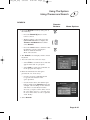
Using The System
Using The Remote Control
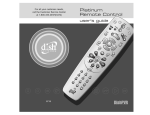
MENU
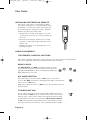
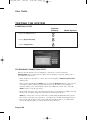
In SAT mode, press the MENU button to open the Main menu.
POWER
In SAT mode, press the POWER button to turn the receiver ON or
OFF. The green power light on the receiver front panel lights up to
indicate the receiver is ON. For each mode, the POWER button will
turn that device on and off. Note: You must program the remote for
that device.
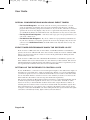
PAGE UP OR DOWN ARROWS
In SAT mode, press the PAGE UP button or the PAGE DOWN
button to scan, page by page, through the Program Guide, a
Theme Categories list, a Favourite List, an Event Timers list,
or a list of channels.
MUTE
In any mode, press the MUTE button to temporarily turn off the
sound. Press it again to restore the sound. The MUTE button works
only if you have programmed the remote. See “Programming the
Remote to Control Other Devices” on page 3-5. If, after programming
the remote, you still cannot turn up the volume, your receiver may
have its own volume. Try one of the following:
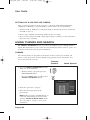
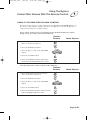
• Push and hold the POWER button for 5 seconds. Or,
• Using the Programming the Remote to Control Other Devices
(Page 3-48) procedure in SAT, TV, or VCR mode, the code 222
will program the remote to control the sound volume in some
satellite receivers. Note: To control your TV, you will need to
reprogram the remote back to the code that works for your
particular TV.
VOLUME
In any mode, press the plus (+) side of the VOLUME button to
increase the sound volume. Press the minus (-) side of the VOLUME
button to reduce the sound volume. This button works only if you
have programmed the remote. See “Programming the Remote to
Control Other Devices” on page 3-48. If, after programming the
remote, you still cannot turn up the volume, your receiver may have
its own volume. Try one of the procedures described under Mute.
Page 3-5