1
4100_Ch3_eng
6/15/05
8:34 AM
Page 54
User Guide
CONTROL A TUNER OR AMPLIFIER
Some of the features described below may not apply to your tuner or
amplifier. See the device owner’s manual for details about the device’s
features. If a remote control button is not described in this section, it does
not work for a tuner or amplifier.
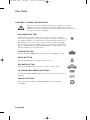
AUX MODE BUTTON
You must first set up the remote to control the device. See Set Up the
Remote to Control Devices, beginning on page 3-48. Then, you must press
the AUX mode button to set the remote to AUX mode. The AUX mode
button flashes once to show you’ve set the remote to AUX mode. Make
sure you keep the remote in AUX mode to use the buttons described here.
Refer to TV Mode Button and VCR Mode Button, as appropriate, for the
buttons available for use in AUX mode.
POWER BUTTON
Press the blank POWER button to turn the tuner or amplifier on or off.
MUTE BUTTON
Press the MUTE button to turn the sound off or on.
VOLUME BUTTON
Press the VOLUME button to raise (+) or lower (-) the volume.
UP AND DOWN ARROW BUTTONS
Use UP and DOWN ARROW buttons to change channels on the tuner or
amplifier.
SELECT BUTTON
The select button works as the Input SELECT button for the tuner
or amplifier.
Page 3-54