1
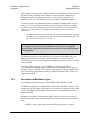
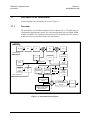
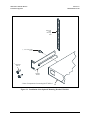
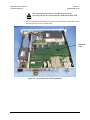
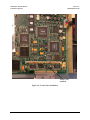
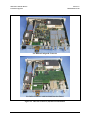
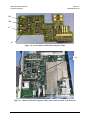
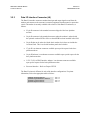
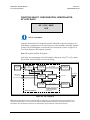
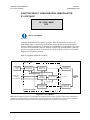
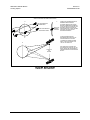
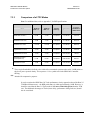
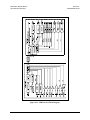
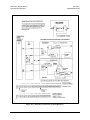
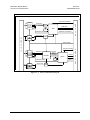
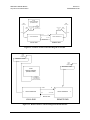
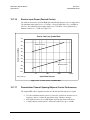
SDM-300L3 Satellite Modem Installation/Upgrades 2.3 2.3.1 Revision 0 MN/SDM300L3.IOM Software and Hardware Installation/Upgrades Overhead Interface PCB Installation The overhead interface PCB can be installed at the factory or in the field. The overhead interface PCB is required to access certain options and functionality of the modem. Observe the following: 2.3.1.1 • If the overhead interface PCB is installed at the factory, then the 50-pin interface relay card will be pre-installed or the G.703/ASYNC card. • If the overhead interface PCB is installed in the field, then one of four connector/card combinations will have been shipped with the overhead interface PCB. Installation CAUTION This equipment contains parts and assemblies sensitive to damage by ESD. Use ESD precautionary procedures when touching, removing, or inserting PCBs. The following tool is required to install the overhead interface PCB: Description Phillips Screwdriver Application To remove and replace cross-point screws. Use the following information to install the overhead interface PCB as a daughter card on the main PCB. Refer to Figure 2-2 for the installation location of the overhead interface daughter card. Turn the power off before installation. High current VDC is present. Failure to do so could result in damage to the modem components. CAUTION 1. Turn off the modem and unplug the power supply. 2. Remove the rear panel retaining screws. Using the finger pulls, slide the main modem assembly out from the rear of the modem chassis. 3. Install the overhead interface PCB, face down, onto the main PCB by mating the male header connectors with the female header connectors in the position shown in Figure 2-2. 4. Align the overhead interface PCB standoffs with the main PCB mounting holes. Install the four mounting screws and washers. 2–4