1
3 Menu Control of the MW-3EM
All GeNETics products are controlled using a generic menu system. This generic
menu system is operated from a generic panel (Flexipanel FP-9 or FP-10). An
FP-9 is shown below (An FP-10 has the same controls in a different layout style).
For information about acquiring processor cards for control on a Flexipanel see
the etherbox manual section 4.
3.1 Flexipanel controls.
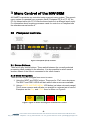
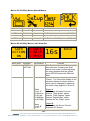
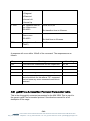
Figure 7 Flexipanel (FP-9) controls.
3.1.1 Device Buttons.
There are 8 grey device buttons. These switch between the currently selected
processing cards installed in the etherbox. It is also possible to select cards in
another chassis if the I-Bus is connected to the other chassis.
3.1.2 Menu Navigation.
There are two ways to navigate from menu to menu.
1. Using the NEXT ane PREV buttons. These are for “Flat” menu structures.
The NEXT and PREV LEDS will flash while further menus are available.
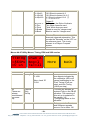
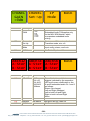
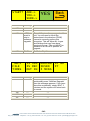
2. Using a GOTO ANOTHER MENU LCD button (as below coloured orange).
This is more common and will take you straight to a relevant set of menus.
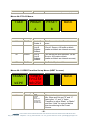
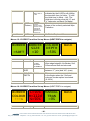
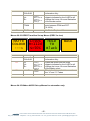
Examples are the Play and UTILS menu’s shown on Figure 8.
GOTO
ANOTHER
MENU
SINGLE
PARAMETER
ADJUSTMENT
DOUBLE OR
TRIPLE
PARAMETER
ADJUSTMENT
INFORMATION
DISPLAY
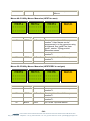
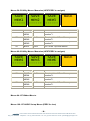
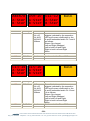
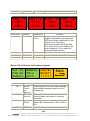
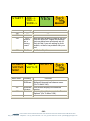
Figure 8 Types of menus showing their characteristic colours
- 11 eyeheight Unit 34 Park House Watford Business Park Greenhill Crescent Watford Herts GB WD18 8PH
Reg. No. 2855535 Telephone: +44 (0) 1923 256 000 Fax: +44 (0) 1923 256 100 email: [email protected]