1
8.6
PRESHOTS
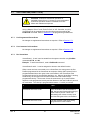
When using a Maxpro, Pelco P code, Pelco D code, Burle, or VCL control system,
there are several PreShots (views or presets) reserved for controlling the scan.
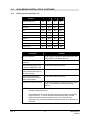
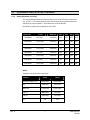
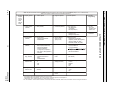
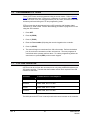
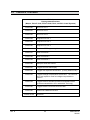
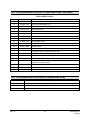
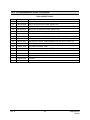
Refer to Table 3 for a listing of the preprogrammed PreShots and their functions.
•
Refer to your specific controller’s users manual for programming PreShots.
PreShots are referred to as Views in the Maxpro Controller manuals.
•
To program a PreShot, you must be able to manually control the scan.
•
To send a scan to a PreShot or to program a PreShot on a scan, the scan must
be the control camera on the system controller.
•
An operator can send a scan to a PreShot by entering the PreShot number and
the PreShot command on the system controller. Refer to your controller manual
for the PreShot command. To view the PreShot video, the scan must be called up
on a monitor. Refer to your controller manual for the PreShot (View) command.
•
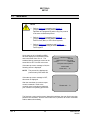
When a scan receives a command to go to a PreShot number, it goes to the
programmed PreShot pan and tilt coordinates at 400° per second. While a scan
is going to a PreShot position, the character generator adds the title of the
PreShot to the video signal and adds the letter A (automatic) with the camera ID
to the video signal. The camera ID display must be enabled to view the camera
number and letter A. PreShot titles are not programmable using a Maxpro
controller. In this case the PreShot titles are PS 001, PS 002, etc.
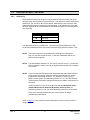
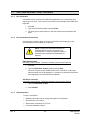
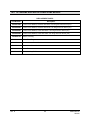
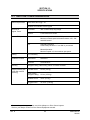
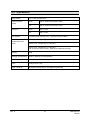
If:
Then:
PreShot title ON
PreShot title is displayed.
Camera ID title ON
Camera ID and the letter A are displayed.
Operator sends the scan to a PreShot
that has not been programmed
The message “DOES NOT EXIST” is
displayed on the video.
There are several PreShots reserved for scan setup, programming, and control
functions. These PreShots cannot be programmed and cannot be included in
VectorScans.
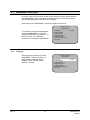
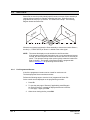
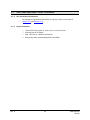
The UltraDome KD6i has a Still PreShot feature that can be enabled or disabled.
If the Still PreShot feature is on, the video is frozen between PreShots. The video
and current PreShot title remains on the current PreShot until the scan arrives at the
next PreShot then switches the video and displays the PreShot title. While the video
is frozen an asterisk (*) appears on the display on the same line as the camera ID.
Refer to Section 5.5.5 for enabling and disabling the Still PreShot feature.
Rev. D
65
KDMU000799
02/6/04