1
Chapter 14: Secure Mobility® MatriX
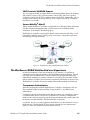
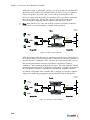
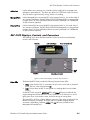
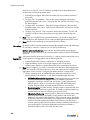
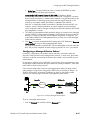
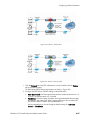
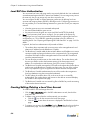
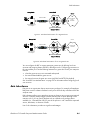
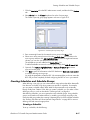
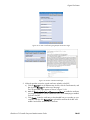
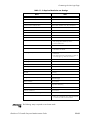
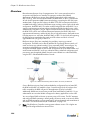
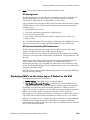
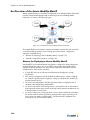
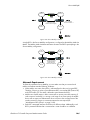
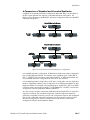
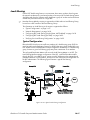
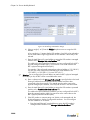
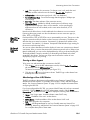
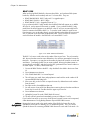
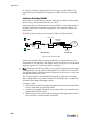
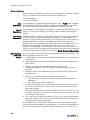
subnet. BSC protected interfaces that are not connected to a router may be on the
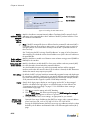
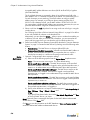
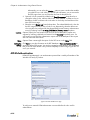
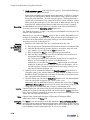
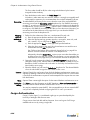
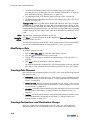
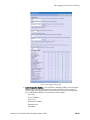
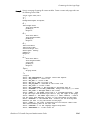
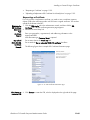
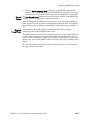
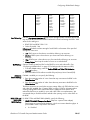
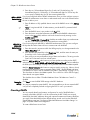
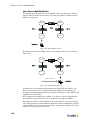
same subnet. The following figure illustrates the subnet requirements for the BSC
managed and protected interfaces to enable use of Secure Mobility® in a multipleBSC network.
BSC
Managed
Interfaces
BSC
Protected
Interfaces
Bluesocket BSC
Subnet A
PWR
DISK
Power
Reset
WG-2100 Wireless Gateway
Subnet C
Router
Bluesocket BSC
Subnet B
PWR
DISK
Power
Reset
Subnet D
WG-2100 Wireless Gateway
Bluesocket BSC
Subnet A
PWR
DISK
Power
Reset
Subnet C
WG-2100 Wireless Gateway
Bluesocket BSC
Subnet B
PWR
DISK
Power
Reset
Subnet C
WG-2100 Wireless Gateway
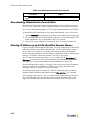
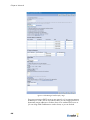
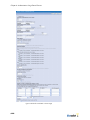
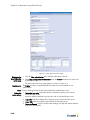
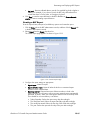
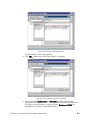
Figure 14-6: BSC Interface Requirements for Secure Mobility®
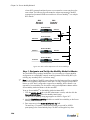
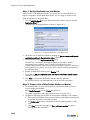
Step 1: Designate and Set Up the Mobility Node List Master
You should follow the procedure listed below if you are setting up a Secure Mobility
configuration on a multiple-BSC network containing between two and fifty BSCs (not
including any secondary BSCs in a failover setup).
)
Note: In v4 (and later) of the BSC system software, the Replication and Secure Mobility
features are completely independent of each other. You may configure the replication
feature on a BSC that is configured to support Secure Mobility, but this feature is not
required for Secure Mobility. You do need to configure the Replication Master and the
Secure Mobility Node List Master to be the same BSC.
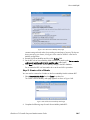
To set up Secure Mobility® on the Mobility Node List Master BSC:
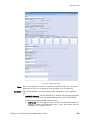
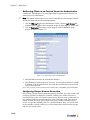
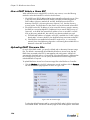
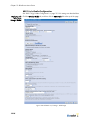
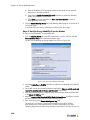
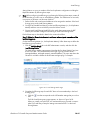
1. Click the Mobility MatriX tab in the BSC administrator console, and then click the
Secure Mobility® Setup tab on the Mobility MatriX page.
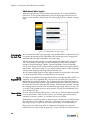
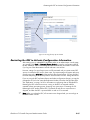
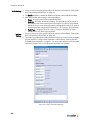
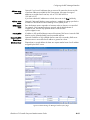
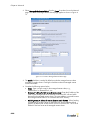
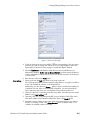
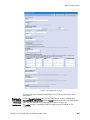
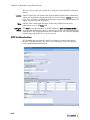
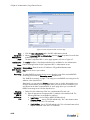
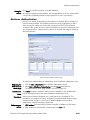
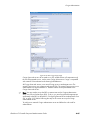
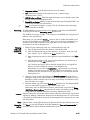
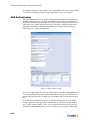
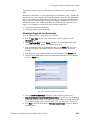
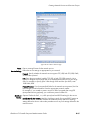
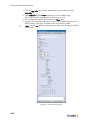
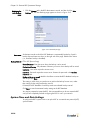
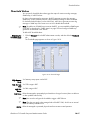
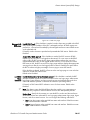
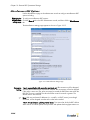
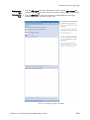
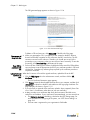
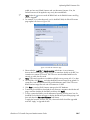
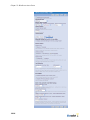
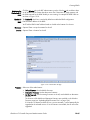
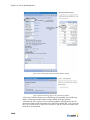
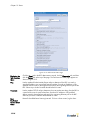
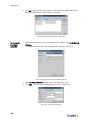
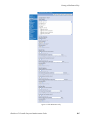
The BSC Secure Mobility Setup page appears as shown in Figure 14-7.
2. Mark the Enable Secure Mobility checkbox to enable Secure Mobility on the Secure
Mobility Node List Master.
3. Enter a text string in the Secure Mobility mesh key field.
The mesh key is a common, shared password that you provide for all BSCs
participating in the Secure Mobility setup. The BSCs exchange the key when
14-6