1
Enforcing Network Usage Policies with VLANs
Enforcing Network Usage Policies with VLANs
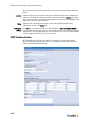
In addition to configuring Roles to perform VLAN tagging, you can use VLAN IDs to
determine policy enforcement within a Role (the managed side VLAN ID that is used
within the policy).
When defining a role, you can create network usage policies based on the logical
location from which a user connects to the wireless network. The BSC uses VLANs to
logically represent these locations.
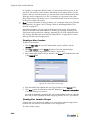
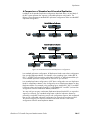
For example, you may have defined “VLAN 15” that includes all access points on the
shop floor. You can then create a location called Shop Floor that maps VLAN 15 to the
location.
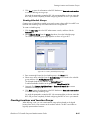
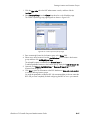
After you create the location, you can then select it from the drop-down list when defining
a network usage policy in a Role. For example, you can create a policy that allows Telnet
sessions only when the user is connected to the BSC from an access point in the Shop
Floor (VLAN 15) location.
See “Creating Locations and Location Groups” on page 8-19 for the procedure to create
user locations on the BSC. Refer to “Defining User Roles to Enforce Network Usage
Policies” on page 8-2 for information about defining Roles on the BSC.
BlueSecure™ Controller Setup and Administration Guide
A-5