1
IB_DVD_KH6507_GB.qxd
19.10.2004
9:53 Uhr
Seite 3
1. Contents
2. Notes on safety . . . . . . . . . . . . . . . . . . . . . . . . . . . . . . . . . . . . . . . . . . . . . . . . . . . . . . . . . . . . . . . . . . . . . . . . . . . . . . . . . . . 6
3. Use and Functions . . . . . . . . . . . . . . . . . . . . . . . . . . . . . . . . . . . . . . . . . . . . . . . . . . . . . . . . . . . . . . . . . . . . . . . . . . . . . . . . 7
4. Delivery Contents . . . . . . . . . . . . . . . . . . . . . . . . . . . . . . . . . . . . . . . . . . . . . . . . . . . . . . . . . . . . . . . . . . . . . . . . . . . . . . . . 7
5. Technical Data . . . . . . . . . . . . . . . . . . . . . . . . . . . . . . . . . . . . . . . . . . . . . . . . . . . . . . . . . . . . . . . . . . . . . . . . . . . . . . . . . . . 7
General ..................................................................................................................................................................................7
Video Output .........................................................................................................................................................................7
Audio Output .........................................................................................................................................................................7
Digital Audio Output ............................................................................................................................................................7
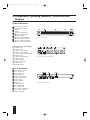
6. Components, Operating Elements, Connections and Displays . . . . . . . . . . . . . . . . . . . . . . . . . . . . . . . . . . . . . . . . . . . 8
Front of the Device ...............................................................................................................................................................8
Information on the Display ..................................................................................................................................................8
Rear of the Device ................................................................................................................................................................8
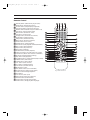
Remote Control ....................................................................................................................................................................9
7. Setting Up the DVD Player . . . . . . . . . . . . . . . . . . . . . . . . . . . . . . . . . . . . . . . . . . . . . . . . . . . . . . . . . . . . . . . . . . . . . . . 10
7.1. Unpacking the Components........................................................................................................................................10
7.2. Inserting the Batteries into the Remote Control .....................................................................................................10
7.3. Selecting a Suitable Setup Location for the DVD Player .......................................................................................10
7.4. Connecting the DVD Player to a Television .............................................................................................................10
7.4.1. Connecting to a Television via Scart Cable/RGB ..............................................................................................10
7.4.2. Connecting to a Television via S-Video...............................................................................................................11
7.4.3. Connecting to a Television via the Video Input (Composite Video)...............................................................11
7.4.4. Connecting a Television via the Component Signal (YCbCr/Progressive Scan and YUV)......................................12
7.5. Connecting the DVD Player to a Video Projector...................................................................................................13
8. Connecting Audio Components to the DVD Player. . . . . . . . . . . . . . . . . . . . . . . . . . . . . . . . . . . . . . . . . . . . . . . . . . . 13
8.1. Connecting a HiFi System to the DVD Player .........................................................................................................13
8.2. Connecting Digital Audio Components to the DVD Player ..................................................................................13
8.2.1. Connecting via Digital Cable................................................................................................................................13
8.2.1.1. Connecting via Coaxial Cable ...........................................................................................................................13
8.2.1.2. Connecting via Optical Cable............................................................................................................................14
8.2.2. Connecting via Analog Cable ...............................................................................................................................14
9. Required Settings on the DVD Player Before Use. . . . . . . . . . . . . . . . . . . . . . . . . . . . . . . . . . . . . . . . . . . . . . . . . . . . 14
9.1. Using the OSD Menu...................................................................................................................................................15
9.2. Language Settings.........................................................................................................................................................15
9.3. Configuring the Television Display Format...............................................................................................................15
9.4. Configuring the Television Standard ..........................................................................................................................15
9.5. Configuring the Video Output / Television Mode ....................................................................................................16
9.6. Audio Settings ...............................................................................................................................................................16
9.6.1. Configuring the Analog Output ...........................................................................................................................16
9.6.2. Configuring the Digital Output ............................................................................................................................17
9.6.3. Configuring Prologic ..............................................................................................................................................17
9.6.4. Configuring the Dynamic (Dolby Digital)..........................................................................................................17
9.6.5. Settings for Mono VCDs/S-VCDs........................................................................................................................17
9.6.6. Setting for HDCD Audio CDs .............................................................................................................................18
9.6.7. Configuring Nighttime Mode................................................................................................................................18
3