1
IB_DVD_KH6507_GB.qxd
Ú
19.10.2004
9:53 Uhr
Seite 31
four times, "Display OFF" appears briefly on the
screen. All information displays are now hidden. To
once again display the CD information, press the
Display button again.
13.2. Selecting Track by Time Position
To select a track by entering its time position on the
audio CD …
2 To deactivate the scan function, press the Digest
button again. "Scan" is no longer displayed on the
screen.
14. General Audio Functions
of the DVD Player
14.1. Adjusting the Playback Volume
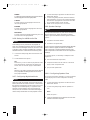
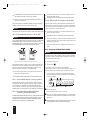
1 Press the Search button on the remote control twice
during playback or while playback is paused.The following is displayed on the screen:
Press the Vol + button to increase the playback volume.
Press the Vol – button to decrease the playback volume.
Disc Go To: -- : --
The change in the volume is displayed on the screen
between the values 0 (sound off) and 20 (maximum
volume).
2 In the input field containing "––:––", enter the time
position of the desired title on the audio CD. Enter
the time position with four digits for minutes and
seconds. To do this, use the number buttons 0/10 to
9. Playback is started immediately at the selected
time position.
13.3. Selecting Passages of a Track by
Time Position
To select a specific passage of a title by entering its time
position within the track:
1 Press the Search button twice during playback of the
14.2. Muting the Sound
To mute the sound, press the Mute button during
playback. "Mute" is displayed on the screen. If you
would like to restore the sound, press the Mute button
once again. "Mute Off" is briefly displayed on the
screen.
14.3. Adjusting the Dialog Volume
To separately raise/lower the volume of dialog when playing DVDs/VCDs/S-VCDs:
track or while playback is paused. The following is
displayed on the screen:
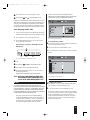
1 Press the Setup button to display the OSD menu.
Track Go To: -- : --
2 Select the main menu item Audio Setup Page, then the
submenu item SPEAKER Setup.
2 Enter the time position with four digits for minutes
and seconds. To do this, use the number buttons
0/10 to 9. Playback is started immediately at the
selected time position.
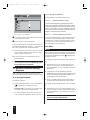
3 In the Analog Output Setup Page, select the submenu item Dialog.
4 Use the up/down control buttons to set the dialog
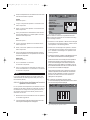
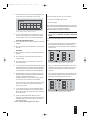
Example: You would like to select a passage that
begins one minute after the start of the track. Press
the following buttons
Ú
Ú
volume between the values 0 and 20. Then press the
OK button.
0 and 1 for 1 minute;
0 and 0 for 0 seconds
13.4. Scan Function
If you activate the scan function, the titles on the inserted audio CD will be played for a few seconds each in
the order in which they are found on the disc. The playback ends with the last track on the audio CD.
To activate the scan function
1 Press the Digest button during playback of an
audio CD. "Scan" is displayed on the screen.
31