1
Using Agilent iPACE Verification Tool
Using Batch Mode
To Perform Batch Mode Verification
Perform the following procedure after the configuration setup is completed as shown in
“Start-Up” on page 3-8.
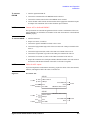
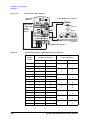
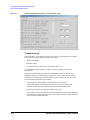
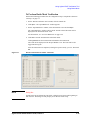
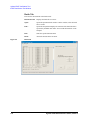
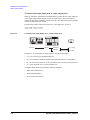
1. On the ‘iPACE Verification Tool’ window, click the ‘Batch’ tab.
2. Click Open.... The ‘Open Batch File’ window appears.
3. On the ‘Open Batch File’ window, select the batch file to use and click Open.
The ‘Open Batch File’ window will be closed. And the selected file name will be
displayed in the ‘Batch File Name’ field.
For the batch file, see “To Create Batch File” on page 3-24.
4. Click Run to start the measurements in the batch mode.
Clicking Break aborts the measurement and initializes the instruments.
The result will be displayed on the ‘Report Window’ area. The result will be also
logged into the log file.
After the measurement is completed, a dialog box opens to notify you of it. Then click
OK.
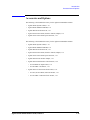
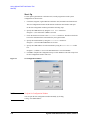
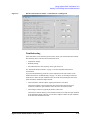
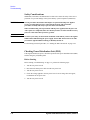
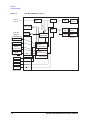
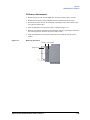
Figure 3-11
iPACE Verification Tool window - Batch tab
NOTE
Dialog Box
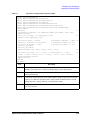
If plural test items are defined in a batch file, a dialog box will open at the beginning of
each test item. The dialog box will prompt you for the test fixture setup.
Agilent 41000 Administration Guide, Edition 3
3- 23