1
Instant Broadband® Series
Chapter 1: Introduction
®
The EtherFast Cable/DSL
Router with QoS and 8-Port
®
The
Linksys
EtherFast
Cable/DSL
Router
Switch
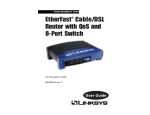
The EtherFast® Cable/DSL Router with QoS and 8-Port Switch is the perfect
solution for connecting multiple PCs (up to 253) to a high-speed Broadband
Internet connection on an Ethernet network. Configurable as a DHCP server
for your network, it acts as the only externally recognized Internet gateway on
your local area network (LAN).
The Router features such advanced functions as dynamic and static port routing, DMZ hosting, port filtering and forwarding, and Quality of Service capabilities. And all of these functions can be easily configured through any networked computer’s web browser.
Features
•
•
•
•
•
•
Supports QoS for Data Prioritization Based on Ports and Internet Services
Supports VPN Pass-Through Using IPSec and PPTP Connections
Set up Your Computers and Router Easily Using Linksys Setup Wizard
Supports UPnP for Easy Network Configuration
Configure the Router through a Web Browser—Locally and over the Internet
Advanced Management Functions for Port Filtering, MAC Address Filtering,
and DMZ Hosting
• 8-Port Switch with Auto-Sense, Uplink Capabilities on Each LAN Port
• Automatically Assigns IP Addresses to All Computers on Your Network
(DHCP Server)
EtherFast® Cable/DSL Router with QoS and 8-Port Switch
An Introduction to LANs and WANs
Simply put, a router is a network device that connects two networks together.
In this instance, the Router connects your Local Area Network (LAN), or the
group of PCs in your home or office, to the Wide Area Network (WAN), which
is the Internet. The Router processes and regulates the data that travels between
these two networks.
Think of the Router as a network device with two sides: the first side interacts
with your private Local Area Network (LAN) of PCs. The other, public side
interacts with the Internet, or the Wide Area Network (WAN), outside of your
home or office.
The Router’s firewall (NAT) protects your network of PCs so users on the public,
Internet side cannot “see” your PCs. This is how your network remains private.
The Router protects your network by inspecting every data packet coming in
through the WAN port before delivery to the final destination on the LAN port.
The Router inspects Internet port services like the web server, ftp server, or other
Internet applications, and, if allowed, it will forward the packet to the appropriate
PC on the LAN side.
Remember that the Router’s ports connect to two sides. Your 10/100 LAN port(s)
connect to the LAN, and the Internet WAN port connects to the WAN. The LAN
port(s) transmit data at 10 Mbps or 100 Mbps, whereas the broadband port, or
WAN port, transmits data at 10 Mbps.
IP Addresses
What’s an IP Address?
IP stands for Internet Protocol. Every device on an IP-based network, including
PCs, print servers, and routers, requires an IP address to identify its “location,”
or address, on the network. This applies to both the WAN and LAN connections.
There are two ways of assigning an IP address to your network devices. You can
assign static IP addresses or use the Router to assign IP addresses dynamically.
Static IP Addresses
A static IP address is a fixed IP address that you assign manually to a PC or
other device on the network. Since a static IP address remains valid until you disable it, static IP addressing ensures that the device assigned it will always have
that same IP address until you change it. Static IP addresses are commonly used
with network devices such as server PCs or print servers.
1
2