1
If your co-worker has the Handsfree Answerback feature configured and
activated, then you will also be able to hear your co-worker speak. See
“Handsfree answerback on the 5224/5324 phone” on page 47.
To use this feature, you must have a key programmed with Intercom to Coworker.
Intercom to prompt on the 5224/5324 phone
Using Intercom to Prompt, you can make a page to any co-worker whose
number you enter on the phone.
To make a call with Intercom to prompt, follow these steps:
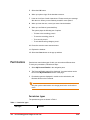
1
Press the Intercom to Prompt key on your phone. The system will ask
you to enter a phone number.
If your phone is already active on a call or ringing, you need to press an
available Line Appearance key or put the current call on hold before you
can use the Intercom to Prompt feature.
2
Enter the phone number of your co-worker on the phone keypad.
You will then be connected to your co-worker and you can speak through
their speaker. If your co-worker has the Handsfree Answerback feature
configured and activated, then you will also be able to hear your coworker speak. See “Handsfree answerback on the 5224/5324 phone” on
page 47.
To use this feature, you must have a key programmed with Intercom to
Prompt.
Join/Leave group on the 5224/5324 phone
Using the Join/Leave Group feature you can join a Broadcast, Call Pickup,
Hunt, or Rollover call group of which you are a member, using your phone.
For Broadcast, Hunt and Rollover groups, only the phones of members who
are joined in the group ring when the call group is called. For Call Pickup
groups, other phones in the group will be notified only if the phone being
called is joined in the group. Press the Join/Leave Group key once to turn
the feature on. Press the key a second time to turn the feature off. The LED
on the programmed key indicates when you are logged into the call group.
To use this feature, you must have a key programmed with Join/Leave
Group.
Line appearance on the 5224/5324 phone
Line Appearance keys are required in order to receive incoming calls and to
make outgoing calls. The LED on the programmed key indicates the status of
the Line Appearance.
•
48
Using the phone system
Key is unlit – the Line Appearance is available for an incoming or
outgoing call.
Final