1
Chapter 4 Configuration
Installation and Operation Manual
Configuring Redundancy
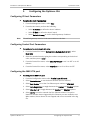
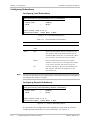
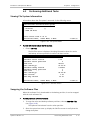
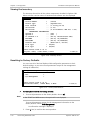
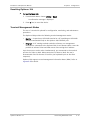
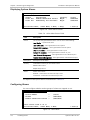
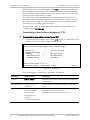
Configuring Local Redundancy
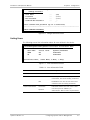
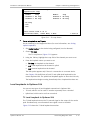
Optimux-106
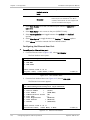
Configuration>System>Redundancy>Local Redundancy
1. Force Link
2. Mode
>
(LINK A)
(Auto)
>
Please select item <1 to 2>
ESC-Previous menu; !-Main Menu; &-Exit
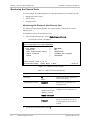
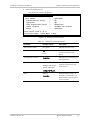
Figure 4-16. Local Redundancy Menu
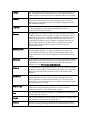
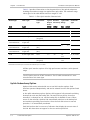
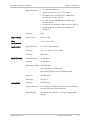
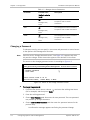
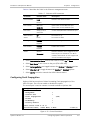
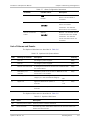
Table 4-11. Local Redundancy Parameters
Parameter
Possible Values
Description
Force Link
Link A
Sets the active link.
Link B
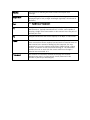
Mode
Note
Auto
When the selected Main Link (for example, Link A)
fails, Optimux-106 automatically switches over to
the backup Main Link (Link B, in this example). When
Link A recovers, the active link returns to Link A.
Manual
When the selected Force Link fails, the system
switches to the backup link. The backup link remains
in use, even if the Force Link returns to service.
Off
Turns off redundancy. When the selected Main Link
fails, Optimux-106 does not change over to the
backup Main Link.
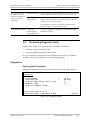
You can set the mode for the remote device, which will then perform redundancy
according to the status of its links.
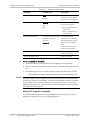
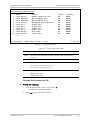
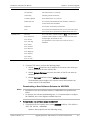
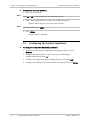
Configuring Remote Redundancy
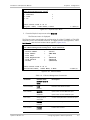
Optimux-106
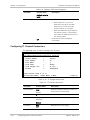
Configuration>System>Redundancy>Remote Redundancy
1. Force Link
2. Mode
>
>
(LINK A)
(Auto)
>
Please select item <1 to 2>
ESC-Previous menu; !-Main Menu; &-Exit
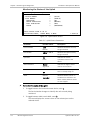
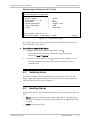
Figure 4-17. Remote Redundancy Menu
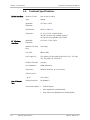
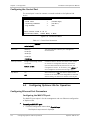
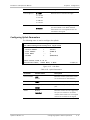
The parameters for configuring remote redundancy are the same as those for
configuring local redundancy. For more information, see Table 4-11.
4-12
Configuring Optimux-106 for Operation
Optimux-106 Ver. 6.1