1
Quick Start Guide
Installation and Operation Manual
2.
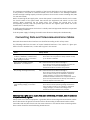
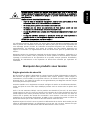
Warning
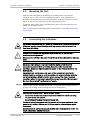
Connecting the Power
Before powering this unit and before connecting or disconnecting any other
cable, the protective earth terminals of this instrument must be connected to the
protective ground conductor of the mains (AC or DC) power cord. If you are using
an extension cord (power cable) make sure it is grounded as well.
Any interruption of the protective grounding conductor (inside or outside the
instrument) or disconnecting the protective earth terminal can make this unit
dangerous. Intentional interruption is prohibited.
Connecting the AC/DC Power
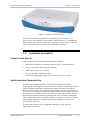
The Optimux-106 is supplied with a Wide Range AC/DC power supply. The
wide-range AC/DC power supply accepts current from both AC and DC sources.
From an AC source, the power supply can receive any voltage in the range of 100
VAC to 240 VAC. From a DC source, the -48 VDC power supply can receive any
voltage in the range of -40 to -72 VDC.
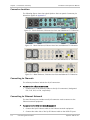
This unit is equipped with a standard AC-type 3-prong power input connector
located on the unit rear panel. This power input connector can be used for both
AC and DC voltage inputs. AC or DC power should be supplied to Optimux-106
through the 5-feet (1.5m) standard power cable terminated by a standard
3 prong plug.
³
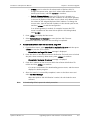
To connect Optimux-106 to AC power:
1. Connect the power cable to the connector on the Optimux-106 rear panel.
2. Connect the power cable to the electricity outlet.
Connecting the DC Power
When connecting the DC power, the PWR pin must be connected to the
ungrounded line of the central battery (either − or +). The RTN pin must be
connected to the grounded line of the central battery. The GND pin must be
connected to the protected earth of the building installation.
Caution
³
The DC installation procedure must be performed by a qualified technician.
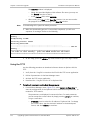
To connect Optimux-106 to -48 VDC power:
•
2
Refer to the DC power supply connection supplement, located on the
Technical Documentation CD or at the back of the official printed version of
this manual. Also, refer to the safety instructions at the beginning of this
document.
Connecting the Power
Optimux-106 Ver. 6.1