1
gnuplot 4.6
67
Control variables
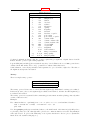
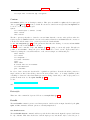
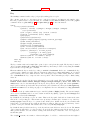
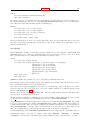
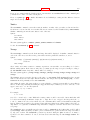
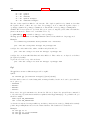
The default epsilon limit (1e-5) may be changed by declaring a value for
FIT_LIMIT
When the sum of squared residuals changes between two iteration steps by a factor less than this number
(epsilon), the fit is considered to have ’converged’.
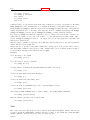
The maximum number of iterations may be limited by declaring a value for
FIT_MAXITER
A value of 0 (or not defining it at all) means that there is no limit.
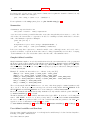
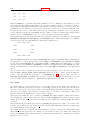
If you need even more control about the algorithm, and know the Marquardt-Levenberg algorithm well, there
are some more variables to influence it. The startup value of lambda is normally calculated automatically
from the ML-matrix, but if you want to, you may provide your own one with
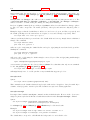
FIT_START_LAMBDA
Specifying FIT START LAMBDA as zero or less will re-enable the automatic selection. The variable
FIT_LAMBDA_FACTOR
gives the factor by which lambda is increased or decreased whenever the chi-squared target function increased or decreased significantly. Setting FIT LAMBDA FACTOR to zero re-enables the default factor of
10.0.
Other variables with the FIT prefix may be added to fit, so it is safer not to use that prefix for user-defined
variables.
The variables FIT SKIP and FIT INDEX were used by earlier releases of gnuplot with a ’fit’ patch called
gnufit and are no longer available. The datafile every modifier provides the functionality of FIT SKIP.
FIT INDEX was used for multi-branch fitting, but multi-branch fitting of one independent variable is now
done as a pseudo-3D fit in which the second independent variable and using are used to specify the branch.
See fit multi-branch (p. 67).
Environment variables
The environment variables must be defined before gnuplot is executed; how to do so depends on your
operating system.
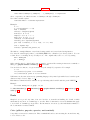
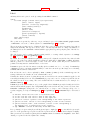
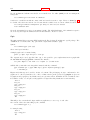
FIT_LOG
changes the name (and/or path) of the file to which the fit log will be written from the default of "fit.log"
in the working directory. The default value can be overwritten using the command set fit logfile.
FIT_SCRIPT
specifies a command that may be executed after an user interrupt. The default is replot, but a plot or
load command may be useful to display a plot customized to highlight the progress of the fit.
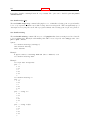
Multi-branch
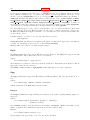
In multi-branch fitting, multiple data sets can be simultaneously fit with functions of one independent
variable having common parameters by minimizing the total WSSR. The function and parameters (branch)
for each data set are selected by using a ’pseudo-variable’, e.g., either the dataline number (a ’column’ index
of -1) or the datafile index (-2), as the second independent variable.
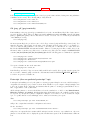
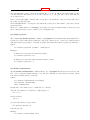
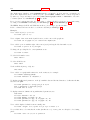
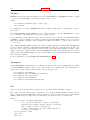
Example: Given two exponential decays of the form, z=f(x), each describing a different data set but having
a common decay time, estimate the values of the parameters. If the datafile has the format x:z:s, then
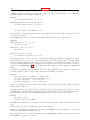
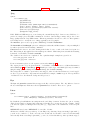
f(x,y) = (y==0) ? a*exp(-x/tau) : b*exp(-x/tau)
fit f(x,y) ’datafile’ using 1:-2:2:3 via a, b, tau
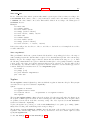
For a more complicated example, see the file "hexa.fnc" used by the "fit.dem" demo.
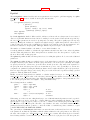
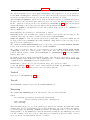
Appropriate weighting may be required since unit weights may cause one branch to predominate if there is
a difference in the scale of the dependent variable. Fitting each branch separately, using the multi-branch
solution as initial values, may give an indication as to the relative effect of each branch on the joint solution.