1
28
BurnInTest V7.0
This may be less that the physical memory in the system. For example, if a system has 4GB of
physical memory with a 32-bit operating system, then there may only be 3.3GB (for example) in
total RAM available to the Operating System.
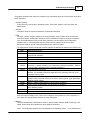
Note 2: If memory bandwidth is available, e.g. "Module1: 1024MB (667MHz)", it should be noted that
this is the marketed "bandwidth". This is typically the peak transfer capacity of the memory chips,
and not the actual clock on the memory chip, and not the transfer rate of the memory module. For
example DDR2-667 has a memory clock speed of 166MHz, an I/O Bus clock frequency of 333MHz
and a peak data transfer of 667 Million data transfers per second. This is often referred to as PC25300 or PC-5400, as the peak data transfer of the memory module (not the individual chips) is
approximately 5300 or 5400 MB/s
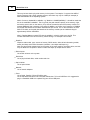
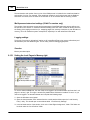
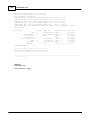
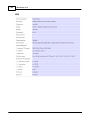
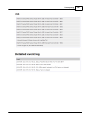
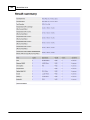
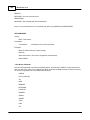
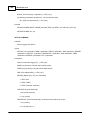
Note 3: Detailed Memory module SPD data is available in a level 2 activity trace log file. This
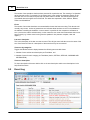
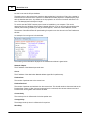
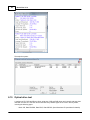
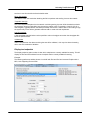
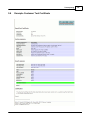
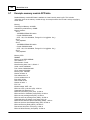
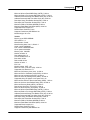
includes information such as the memory module timings. An example is shown here.
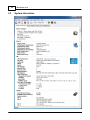
Graphics
Graphics cards model, type, amount of memory, BIOS version, device driver information (provider,
version and date) and monitor information (resolution, color depth and frequency).
Note: The device driver reported may be the version of the main graphics card device driver, and this
may be different to the 'product' version number that wraps up multiple device drivers.
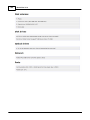
Disk volumes
List of Disk volumes on the system.
Disk drives
List of physical hard disks, serial number and size.
Optical drives
List of optical drives.
Network
List of network adapters.
Ports
List of Serial, Parallel, PS2 and FireWire ports.
List of USB Host Controllers and connected USB devices. To list all USB Ports it is suggested to
plug in a PassMark USB 2.0 Loopback Plug into all free USB ports.
© 1999-2012 PassMark Software