1
Test automation and productivity
145
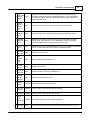
3D
VIDEO
PLUGIN
Example
#Load my preferred test configuration
LOAD "MyConfiguration1.bitcfg"
#Override the test duration for all tests
SETDURATION 60
MESSAGE "Click on OK to start test run"
RUN CPU
MESSAGE "Insert test discs into both the CD and DVD drive"
RUN CD
#Load my preferred test configuration for disk testing
LOAD "MyDiskConfig.bitcfg"
RUN CONFIG
10.3.1 Scripting test preferences
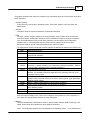
This section describes scripting many of the user settings available from the BurnInTest Preferences
Windows.
Notes:
All commands are case insensitive. They are written in upper case for illustration.
Scripting of the 3D, tape and Printer preferences are not supported in the current version of
BurnInTest.
SETDEFAULTPREFERENCES COMMAND
Overview:
Set the test preferences to the initial installation state.
Syntax:
SETDEFAULTPREFERENCES
Parameters:
This command does not require any parameters.
Example:
SETDEFAULTPREFERENCES
© 1999-2012 PassMark Software