1
Test descriptions
69
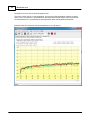
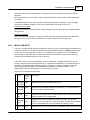
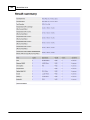
Bytes Sent
The number of Kilobytes sent to the USB device.
Bytes Rec.
The number of Kilobytes received from the USB device.
Throughput
The number of Kilobits or Megabits of data received and transmitted in the last second.
Ave. Throughput
The average number of Kilobits or Megabits of data received and transmitted per second since the start
of the test.
Errors
The number of errors that have occurred (i.e. Transmitted data does not match received data).
6.19
Video play
This test allows video files to be played as a BurnInTest test. This allows for the detection of numerous
error conditions that a PC might exhibit, from lack of media codec support, playback errors and dropped
samples (reduced quality due to the PCs inability to process the video quickly enough) and Bit Error
Rates. From the Video Playback Preferences window, up to 4 video files can be selected for playback,
with each video being played in turn (1st, 2nd, 3rd, 4th, 1st etc). The test can be run across multiple
monitors.
Video files come in a number of different file formats and within these file formats, video and audio are
encoded using different compression methods.
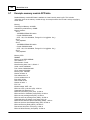
The file formats supported include:
Audio-Video Interleaved (AVI)
Motion Picture Experts Group (MPEG, MPG)
The Video Compression formats supported (where installed) include:
Cinepak
Intel Indeo
DivX
MJPEG
MPEG-1
MPEG-4 video: ISO version 1.0 , Microsoft version 3
Microsoft Windows Media Video codec version 7.0
MPEG-2 is not supported.
Note: Each of the above formats are registered trademarks of their respective owners.
Sample test videos are available from the PassMark Web site.
By default, a test window will be opened when the tests are started. This will be placed on the primary
© 1999-2012 PassMark Software