1
Installing NAP
21. Installing NAP
Installation Introduction
These instructions apply to the Windows 95/98/Me, NT, Xp and 2000
operating systems.
The installation instructions are categorised by installation type standalone, network server or network client. At the end of each
installation type section are notes for each particular operating
system/server type (where appropriate).
Before starting the installation please ensure :
that all other processes on the target machine have been terminated.
that you are logged in as the system administrator.
that you have full access to the installation (usually Program Files)
directory on the target machine (and read/write access to the server for
network client installations).
that you read the notes appropriate to your operating system/server type
at the end of each installation type section.
File permissions are discussed more fully under each installation type.
Note that the installation process takes a ‘conservative’ approach to
updating system DLLs and ActiveX controls. These components will only
be updated if the component version number contained in the CD-ROM
installation is greater than that of the component on the target machine.
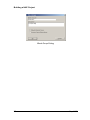
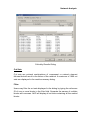
To start the installation insert the CD in the CD-ROM drive. Normally the
installation will start automatically. If this is not the case then select Run
from the Windows Start menu and then Browse. Now navigate to the CDROM drive, open the disk1 folder and select the Setup.exe program.
Select OK on the Run dialog to start the installation.
Now refer to the standalone installation instructions if you have a licence
to install NAP on a single machine.
Refer to the network server installation type if you have a licence to install
NAP on a network server.
NAP V1.0
119