1
Licensing NAP
22. Licensing NAP
FLEXNET License Server Introduction
At the end of the standalone or network server installations you will be you
will be presented with detailed instructions on how to obtain your NAP
license. Please ensure that you read and understand this information fully.
To receive your license you must e-mail the FLEXNET hostid, your
company name, your site name, and which licenses you wish to activate,
to the appropriate contact address for your region. The license you receive
in return by e-mail will be a text file. You should only modify information in
the text file where detailed by the instructions below. Please note that the
text file contains one (or more) encrypted signatures preventing
modification of the actual license details.
After receiving you license you should:
Refer to the section ‘Installing Standalone Licenses’ below if you have
selected the standalone installation
Refer to the section ‘Installing the FLEXNET License Server’ if you have
selected the network server installation’ and have not previously licensed
an Isograph product using FLEXNET.
Refer to the section ‘Adding Licenses to an Existing FLEXNET License
Server’ if you have selected the network server installation and this is an
additional license.
Refer to the section ‘Installing a Separate FLEXNET License Server’ if you
have selected the network server installation and wish to install the
FLEXNET server on a separate machine to the NAP network server
installation.
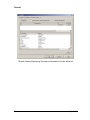
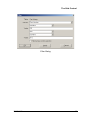
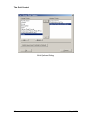
Refer to the section ‘The Select License dialog’ for information for end
users on how to select which NAP module(s) they wish to use.
Refer to the section ‘Monitoring FLEXNET Licenses’ for information on the
use of LMTOOLS for checking on license status.
NAP V1.0
129