1
Custom Design Checks
Customizing Name Checking
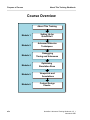
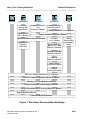
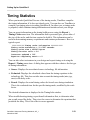
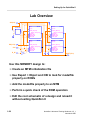
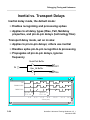
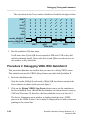
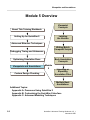
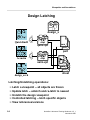
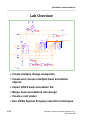
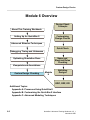
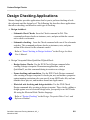
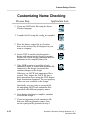
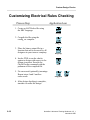
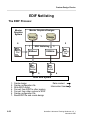
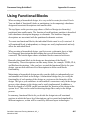
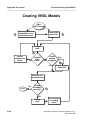
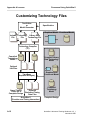
Name Checker has two types of users: rule writers and rule runners. The figure on
the previous page shows the steps each type of user performs in the process along
with the corresponding application's icon.
If you are a rule writer, you start (in Step 1) by specifying property checks and
translations in an ASCII rules file. Next, you compile it using the config_nc
compiler. Test the checks against a test design to verify that the names are
properly translated. Once verified, provide this compiled file to others in your
design team so that they can run it against their designs.
If you are a rule runner, you start (in Step 4) by running the Name Checker on a
design (while in DVE) using the compiled binary file supplied to you by your rule
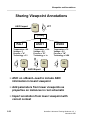
writer. In step 5, DOBA means to “do automatic back annotation.” Any property
changes can be stored in a back annotation object which can either be used with
the design viewpoint or merged into the component through Design Architect.
After the design checks have been corrected, you are ready to netlist or simulate
the design.
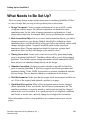
The following list summarizes the mandatory and optional tasks you complete to
support Name Checker in your design process environment:
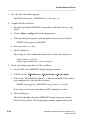
• Write the ASCII rules file which contains the name checking rules.
• Compile the rules file, using config_nc to check for syntax and semantic errors
and to compile the data.
You can optionally complete these tasks to further integrate Name Checker into
your environment:
• Create customized userware to control the use of Name Checker in DVE.
• Edit the ENWrite configuration file for synonyms and aliases.
• Provide custom encapsulation of the Name Checker within Design Manager.
QuickSim II Advanced Training Workbook, 8.5_1
November 1995
6-13