1
Advanced Stimulus Techniques
Force Type Examples
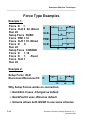
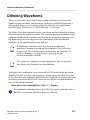
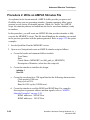
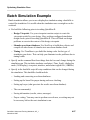
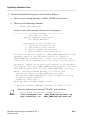
To help you understand how different force types behave in a simulation, here is
an example that creates stimulus on several signals:
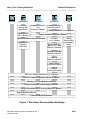
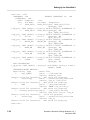
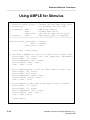
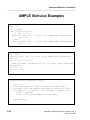
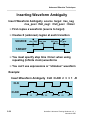
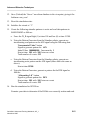
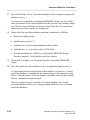
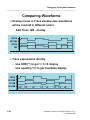
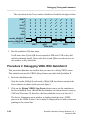
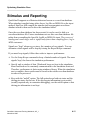
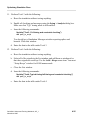
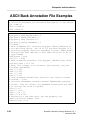
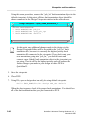
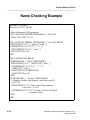
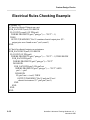
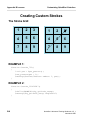
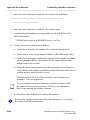
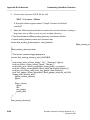
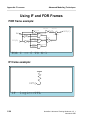
EXAMPLE1: The previous page shows a forcefile that is executed in
QuickSim II. The type of force for each waveform is shown in the Trace window
at right side of the page. Here is a brief description of the type of force at each
point in time, as shown on the waveforms.
• D. Connected at time 0 as default (Charge). Forced at time 0 as default
(Charge). Forced at time 20 as default (Fixed). Forced at time 40 as -Fixed
(switch). Forced at time 50 as default (Charge).
• CLK. Connected at time 0 as default (Charge). Forced at time 20 as -Wired
(switch). Forced at time 40 as default (Charge, Setup Force)
• PRE. Connected at time 20 as default (Fixed, Setup Force). Forced at time 30
as default (Fixed).
• CLR. Connected at time 20 as default (Fixed, Setup Force). Forced at time 30
as -Wired (switch).
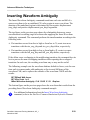
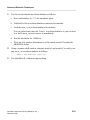
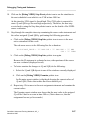
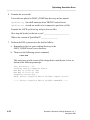
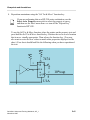
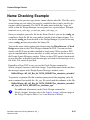
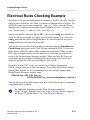
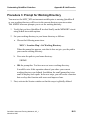
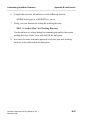
EXAMPLE2: You disconnect the “D” waveform and reconnect it at this time.
Because the new default is -Old, all of the default forces in the previous example
are now of type Old as shown in the single waveform for “D”. Because of this
feature, you can make wholesale changes to “default” stimulus on a waveform by
waveform basis.
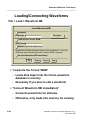
The scheme of determining the default type of stimulus only on connection of the
waveform database allows the same stimulus to be used among all the analysis
applications. QuickSim II requires that most stimulus be of type Charged to
properly exercise a digital simulation (special requirements such as bi-directional
buses use Wired forces). QuickFault requires all stimulus to be of the Wired type.
With this scheme, the same stimulus can be connected as Charged in QuickSim II
and as Wired in QuickFault II.
QuickSim II Advanced Training Workbook, 8.5_1
November 1995
2-15