1
CHISON 600M (2009 VERSION) ULTRASOUND SYSTEM
Save and Recall
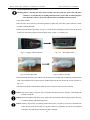
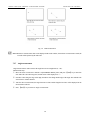
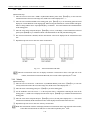
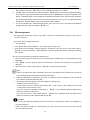
Note: During image storing process, the 【SAVE】key keeps on the back-lit status. If image storing process
is finished, the 【SAVE】key will get dark.
Caution: During image storing process, please don’t make any keyboard operation until 【SAVE】key gets
dark, including moving the trackball, otherwise it will affect the quality of the saved image.
12. 3 Recall the saved image
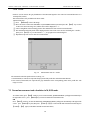
The function to recall the saved image is only available at the frozen status.
Note:
1. If there is no USB memory disk connected to the system, the system will recall the images saved as jpg format in the
system.
2. When USB memory disk is connected to the system, the system will recall the images saved as bmp or jpg format in
the USB memory disk directly.
3. If users want to recall the images saved in the system directly, please make sure no external USB memory disk is
connected to the system.
Operation procedure:
1. Freeze the image.
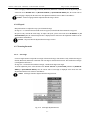
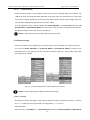
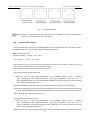
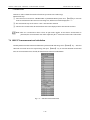
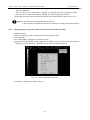
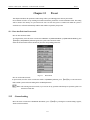
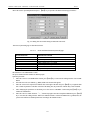
2. Press【SAVE】key, then the dialog box- “Save/ Recall” appears on the screen.
3. Select menu item-“Recall image saved” from the dialog box-“Save/Recall”, move the cursor on “OK” button and
press 【SET】 key or press shortcut key【SAVE】directly to recall saved image.
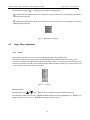
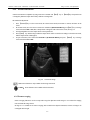
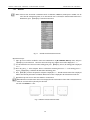
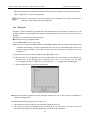
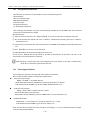
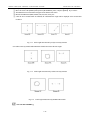
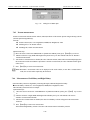
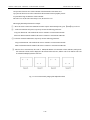
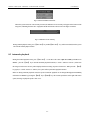
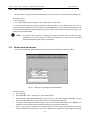
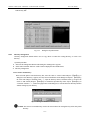
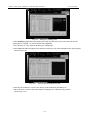
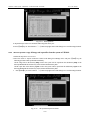
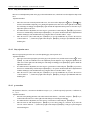
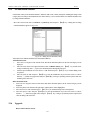
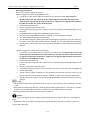
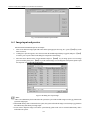
4. A dialog box-“Open File” appears, move the cursor onto the desired image file and press 【SET】 key to select it,
move the cursor to “Open” button and press 【SET】 key to finish the operation. The system will recall the selected
image file. If press 【SET】key on “Cancel” button or 「×」button at top right corner of the dialog box, it will exit
from Open File function without opening any image file.
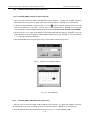
Fig. 12-3 Dialog box for recalling the saved image
12-3