1
HEIDELBERG INSTRUMENTS SOFTWARE GUIDE
Conversion Job Manager V. 1.8.3, µPG 501
Appendix B: Grayscale Conversion
The conversion software accepts four input formats for Grayscale structure
conversion:
•
•
•
•
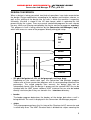
DXF-designs where each layer corresponds to one of the 128 gray levels
(Grayscale DXF)
3-dimensional STL design elements
Bitmap (BMP) image elements
X,Y,Z ASCII format
Only DXF format may be used for larger design. All other formats may be used only
for creation of small elements, which are then stepped over the substrate.
Design Rules
GRAYSCALE DXF DESIGN RULES
In addition to the standard DXF rules, the following rules apply:
• Structures on different layers may not overlap; each layer may only contain those
areas that are to be exposed with the corresponding gray value.
• With complex structures, file sizes might increase above the limit managable by
the conversion software. Try to keep structures as simple as possible.
STL DESIGN RULES
So far, only STL elements are supported by the conversion software and can be
stepped to form a larger array. Within these limits however, few rules apply.
• STL element size may be max. 100x100µm
• everything has to be designed within the positive octant
• only binary STL files are supported
BMP DESIGN RULES
As in STL, also in BMP only elements are supported so far, which can then be
stepped over a larger area.
• BMP element size may be max. 1000x1000 pixels
XYZ DESIGN RULES
XYZ-ASCII designs have to be stored in a subdirectory called xyzel.
• Format is X,Y,Z with one point per line
• Unit is µm
• Points have to form a grid with equal spacing in X and Y
• Element size may be max. 1000x1000 points
• File may be saved with any extension
46