1
• The File menu item enables the user to open a new session, open a saved session, or store a current session. A session here means a comparative genomics task. Each session is independent
from other sessions. The rationale behind supporting multiple sessions is to enable the user to
display different comparisons of different species and have a clear overview of all of them.
• The Look&Feel menu item enables the user to change the global theme of the program.
• The Help menu item will display information about the program.
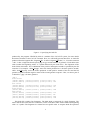
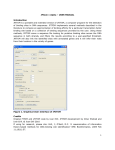
Figure 1.2: The program main window.
1.4 Displaying the whole comparison results
When choosing “open all files in multiple genomes”, you will be asked to enter an information file
(called also log file). This file contains information about the number of genomes, their lengths, and
the names of the files containing the projections to be visualized. It is assumed that these files are
stored in the same directory; see Figure 1.3. The info file is automatically generated by CoCoNUT,
and it has the following format (usually with extension .info).
3 1059944 1250783 1087285
fragment.mm.ppp
fragment.mm.ppm
fragment.mm.pmp
fragment.mm.pmm
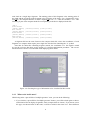
After specifying the info file, the user will be asked to display either fragments, chains, compact
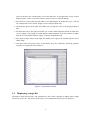
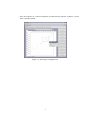
chains, or clusters; see Figure 1.4. Figure 1.5 shows the displayed chain files in the demo data set.
The time needed to open these files is displayed in the console on the right. All these files were
2