1
each chain as a single large fragment. The starting points of this fragment is the starting point of
the chain and the end point of the fragment is the end point of the chain. For a fragment file “fragment file”, the compact chain file is called “fragment file.ccn”; i.e., it has the extension “.ccn”. The
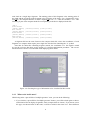
following is part of the compact chain file corresponding to the above displayed chain file.
>CHA 3
#1449.000000
[998457,998497]
#571.000000
[989930,989970]
#1638.000000
[984323,984413]
#828.000000
[982708,982935]
[1156254,1156294] [273907,273947]
[1147783,1147822] [265433,265473]
[1142027,1142117] [259825,259915]
[1140419,1140646] [258213,258440]
A fragment file has the same format as the compact chain file, where the coordinates of each
fragment or a compact chain require just a single line after the line containing the “#” symbol.
Note that for chain files containing negative strands, the coordinates w.r.t. the negative strand
are not the real ones but these are the output of a certain transformation procedure. The reverse
transformation is done in VisCHAINER when displaying these chains.
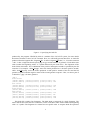
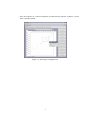
Figure 1.4: Choosing the type of information to be visualized in this session.
1.4.1 What to do in this state?
While being in the “open all files of multiple genomes” state, you can do the following:
• If you click the “open all files of multiple genomes” button, you will be asked again to choose
which kind of files to display (fragments, chain, compact chain or cluster). If you choose a new
file type, not chosen before in this state, it will be overlaid in the same view. These different
4