1
P R O G R A M M I N G / C O N F I G U R I N G
T H E
H A R D W A R E
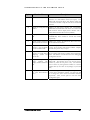
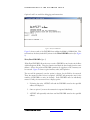
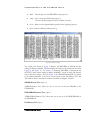
− Displays current FPGA being configured if the configuration type is set to
SelectMAP
− Displays a message at the completion of configuration for each FPGA
configured.
•
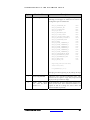
Level 2:
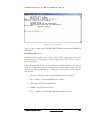
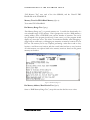
− All messages that Level 1 displays
− Options that are found in “main.txt”
− Bit file names for each FPGA as entered in main.txt
− Maker ID, device ID, and size of Smart Media card
− All files found on Smart Media card
− If sanity check is chosen, the bit file attributes will be displayed (part,
package, date, and time of the bit file)
− During configuration, a “.” will be printed out after each block (16 KB)
has successfully been transferred from the Smart Media to the current
FPGA
4.2.2
Sanity Check
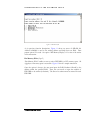
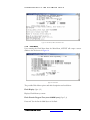
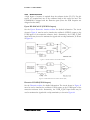
The Sanity Check, if enabled, verifies that the bit file was created for the right part, the
right version of Xilinx was used, and the bitgen options were set correctly. If any of the
settings found in the bit file are not compatible with the FPGA, a message will appear
from the serial port, and the user will be asked whether or not they want to continue
with the bit file. Please see the section Bit File Generation for SelectMAP
Configuration for details on which bitgen options need to be changed from the default
settings. A PC version of the sanity check can be run on your bit files before copying
them onto the Smart Media card; see section PC Bit File Sanity Check for more details.
4.2.3
Format of “main.txt”
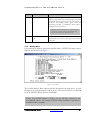
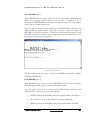
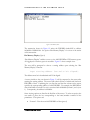
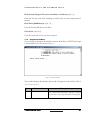
The format of the main.txt file is as follows:
1. The first nonempty/uncommented line in main.txt should be:
Verbose level: X
where “X” can be 0, 1 or 2. If this line is missing or X is an invalid level, then
the default verbose level will be 2.
2. The second nonempty/uncommented line in main.txt tells whether or not to
perform a sanity check on the bit files before configuring an FPGA:
Sanity check: y
ET6000K10S User Guide
www.emulation.com
57