1
J74 Progressive - User Manual
Page 10 of 52
Examples
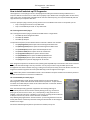
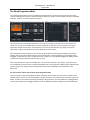
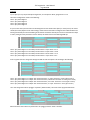
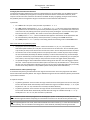
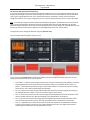
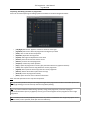
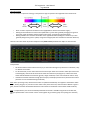
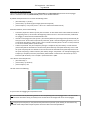
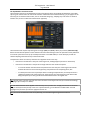
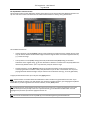
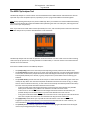
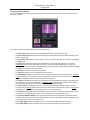
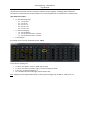
1) Let's pick up a very simple example to begin with, as in the picture above, progression 1-5-6-4.
The matrix configuration results in the following:
Time 1: play chord degree 1
Time 2: play chord degree 5
Time 3: play chord degree 6
Time 4: play chord degree 4
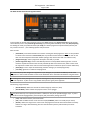
As you can see what you select here are chord degrees and not chords names (like C) or notes (C-E-B). The actual
chords (and notes) depend on the scale settings, chord interval and mode as configured in the Main window and
will be generated by the internal modeling of the diatonic method as done by the tool. If we would select C Major
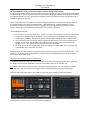
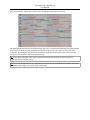
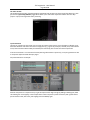
as scale, leaving all other parameters to their default, this would result in the following MIDI clip:
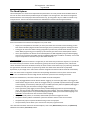
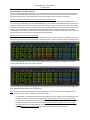
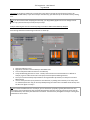
Time 1: play chord degree 1 in the C Major scale which is C major chord = C-E-G
Time 2: play chord degree 5 in the C Major scale which is G major chord = G-B-D
Time 3: play chord degree 6 in the C Major scale which is A minor chord = A-C-E
Time 4: play chord degree 4 in the C Major scale which is F major chord = F-A-C
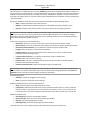
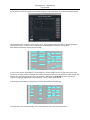
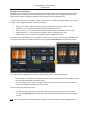
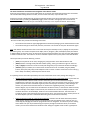
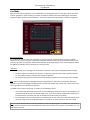
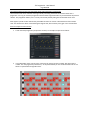
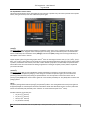
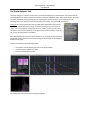
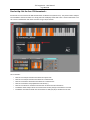
So far so good. Now let's change the settings and add 7th and Low options. This would give the following:
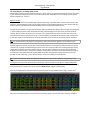
Time 1: play chord degree 1 in C Major with 7th and low tonic, a C major 7th chord = C-E-G-B (plus a low C)
Time 2: play chord degree 5 in C Major with 7th and low tonic, G dominant 7th chord = G-B-D-F (plus a low G)
Time 3: play chord degree 6 in C Major with 7th and low tonic, an A minor 7th chord = A-C-E-G (plus a low A)
Time 4: play chord degree 4 in C Major with 7th and low tonic, a F major 7th chord = F-A-C-E (plus a low F)
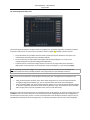
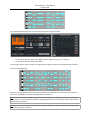
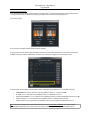
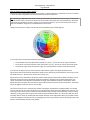
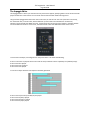
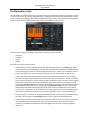
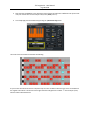
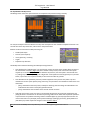
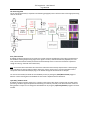
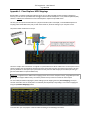
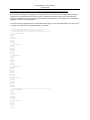
Let's now change the mode to arpeggio "arp-down" (Main window). The result of the clip generated will be:
Where the same notes above are performed in an arpeggio, with the "down" direction.