1
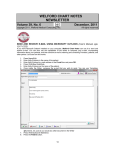
12. If you are editing a previously stored Diagnosis, you can press the Delete button to erase it
from the list of diagnoses of this patient. If the patient truly had the Diagnosis but that disease
has now gone into remission or is no longer active, it is better to not delete it but simply write a
Comment explaining that.
13. Press the Vocab button if you wish to look up a term in the Vocabulary System.
14. Press OK when you're done editing this Diagnosis.
Once you have recorded one or more diagnoses for a Relative, you can edit this information:
1. Double-click a Diagnosis, or highlight the line and press Edit.
2. If instead you wish to delete a highlighted line, press the Delete button. Do this only if the
Relative never had the Diagnosis. (If instead the Relative had the Diagnosis but it now has
become inactive, Edit the Diagnosis and add a Comment to indicate that it is no longer active.)
3. If you wish to erase all of the Diagnoses from the list, press the Clear button. Only do this if
you are sure that all of the diagnoses are wrong and do not apply to this particular Relative.
Note that if you add a Diagnoses for a Relative, the program automatically removes that Diagnosis from the
Write\Family History\NO diagnosis of box. This is because, obviously, if there are in fact is a Relative with
this Diagnosis, by definition someone in the family has the Diagnosis, and thus to state that there is no
family history of this Diagnosis would be incorrect. The program matches these up based on the diagnoses
themselves, their Meanings as stored in the Vocabulary System, and their SNOMED codes. If the term
matches on any of these three items, it is removed from the No Diagnosis of box. For example, if the No
Diagnosis of box includes "GERD", and you then record the fact that a Relative has "reflux esophagitis", the
program removes "GERD" from the No Diagnoses of box because GERD and reflux esophagitis are
Synonyms of each other in the Vocabulary System.
Next month we will learn more about Detailed Family History.
SEND US YOUR TIPS
If you have tips, shortcuts, questions, or suggestions for future newsletter topics, please send them to us at:
Welford Medical Computing, Inc.
3779 Hermitage Trail
Rockford, IL 6111
or
8
MEDCOM Information Systems
2117 Stonington Avenue
Hoffman Estates, IL 60195