1
Ag Data Mapping Solu on - ADMS User Manual
3
Using Web Based Background Layers—WMS Layers
Saving WMS Layers:
Once all the parameters have been entered in the WMS Server Parameters window click “OK.”
A new layer will appear the data tree with the name that appears
under “Title” in “Layer Details” of the WMS Server Parameters
window. It will have the extension *.wms
2013 CIR (Color Inferred)
image of the field from
the MN WMS server.
Expor5ng WMS Layers:
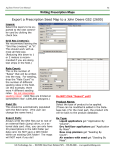
WMS layers can be exported, saved to the data tree, used as a background map, and an addi onal layer for
management zone crea on. There are three op ons for different file types (*. f, *.bmp, *.jpg). During the export process addi onal op ons are given to change the image resolu on.
For the ADMS web layers that are only available in the “Web Layers” dropdown the export is only available
under the “Layer Info” panel under “Images in Map.”
For any WMS links that are saved in the data tree the export is available in both the “Layer Info” panel and the
layer in the data tree.
(1.)
To access the export op ons:
1. Right click on the layer name.
2. Select the image type to export.
3. Choose resolu on.
4. Rename file if needed.
5. Refresh the data tree to make the new layer visible.
(2.)
(3.)
(4.)
(5.)
GK Technology, Inc. - 204 Fi h Street East, Halstad, MN - 855-458-3244 - www.gktechinc.com